Locker Access Compliance UK: GDPR, Audit Retention, Safeguarding and Facilities Policies
May 12, 2026
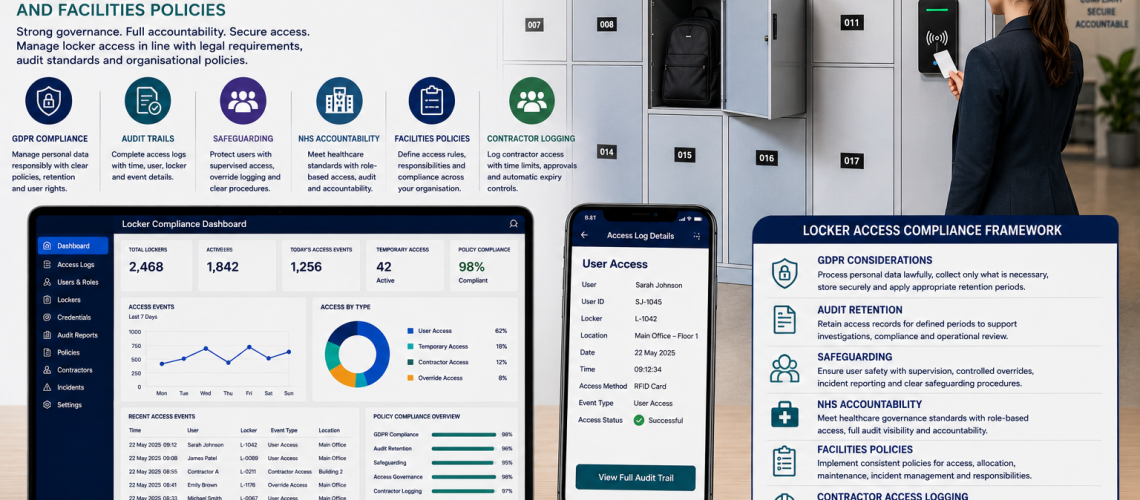
Locker access compliance is the data-handling layer around modern locker systems: how identifiable access records are collected, used, protected, retained, reviewed, exported and deleted or anonymised when they are no longer required.
Connected locker systems can create personal data through user accounts, RFID credentials, access logs, booking records, administrator actions, temporary-access records and mobile credentials. The more data the system creates, the more important it becomes to define why that data is needed and how it will be controlled.
This guide focuses on UK data protection, data minimisation, purpose limitation, retention, access to records, deletion, exports and cloud/software considerations. For who is allowed to approve, reset or override access, use Locker Access Permissions & Governance UK. For what access events should be logged, use Locker Access Audit Systems UK.
Governance decides who may act. Audit records what happened. Compliance controls how the resulting data is handled.
This is practical locker-system planning guidance, not legal advice. Organisations should apply their own data-protection policies and obtain appropriate legal or data-protection advice where required. Current ICO guidance should be checked when designing or changing systems that process personal data.
Quick Answer: What Is Locker Access Compliance?
Locker access compliance is the process of ensuring that personal and operational data created by locker access systems is handled for a defined purpose, limited to what is needed, protected appropriately, retained only as long as necessary and made available only to authorised people.
| Compliance area | Locker-system question |
|---|---|
| Lawful and transparent processing | Why is this personal data being collected and how are users informed? |
| Purpose limitation | What specific operational purpose does the record serve? |
| Data minimisation | Are we collecting more information than the locker process actually needs? |
| Accuracy | Are user, credential and allocation records kept current? |
| Storage limitation | How long is each type of access record genuinely required? |
| Security | Who can view, export or administer the data? |
| Accountability | Can the organisation explain and document its decisions? |
What This Page Owns, and What It Hands Off
- Personal data and access-record handling: this page
- Who may approve, reset, override or revoke access: Locker Access Permissions & Governance UK
- Which events should be captured: Locker Access Audit Systems UK
- Temporary credential issue, expiry and revocation: Temporary Locker Access Systems UK
- Onboarding, offboarding and reassignment: Locker Management Systems UK
- Which key, PIN, RFID or digital lock to use: Locker Access Control Systems UK
- Physical key control: Locker Key Management Systems UK
- Smart locker software functionality: Smart Locker Management Software UK
When Does Locker Data Become Personal Data?
A locker record can become personal data when it identifies or can reasonably be linked to an individual.
- Employee or pupil name
- Staff, student or visitor identifier
- Email address
- RFID card or credential linked to a person
- Locker allocation linked to a named user
- Access timestamp linked to an identifiable user or credential
- Mobile locker account
- Booking record
- Administrator action linked to a named administrator
- Temporary contractor or visitor record
A simple anonymous locker number with no link to an identifiable individual may not by itself be personal data. The surrounding systems and the organisation’s ability to link records together matter.
UK GDPR Principles and Locker Systems
The ICO identifies seven core data-protection principles: lawfulness, fairness and transparency; purpose limitation; data minimisation; accuracy; storage limitation; integrity and confidentiality; and accountability.
For current guidance, see the ICO’s Guide to the Data Protection Principles.
Lawful Basis and Defined Purpose
Before processing identifiable locker data, the organisation should identify why the processing is necessary and which lawful basis applies to that purpose.
The lawful basis is not something the locker supplier or software chooses automatically. It depends on the organisation, its purpose, its relationship with the user and the wider context.
- Why do we need to link this locker to a person?
- Why do we need access timestamps?
- Why do we need failed-access records?
- Why do we need administrator activity logs?
- Why do we need booking history?
- Could the same operational purpose be achieved with less identifiable data?
Use the current ICO Guide to Lawful Basis when determining the appropriate basis for processing.
Purpose Limitation
Locker access data should be collected for clear purposes. A record originally created to manage temporary locker access should not automatically become a general-purpose employee-monitoring dataset simply because the information exists.
- Define the purpose before collecting the data.
- Document any additional intended uses.
- Review whether a new use is compatible with the original purpose.
- Avoid collecting detailed event data with no defined operational need.
- Keep locker-data purposes separate from unrelated HR, attendance or performance monitoring unless the organisation has properly assessed that use.
Data Minimisation
Collect the minimum information needed for the locker process.
| Possible field | Question to ask |
|---|---|
| User name | Do we need the name, or would a staff/user identifier be enough? |
| Email address | Is email actually required for locker administration? |
| Department | Does this support allocation or reporting? |
| Access timestamps | Is event-level history needed, or only current access status? |
| Location data | Is detailed location necessary beyond the locker/site reference? |
| Booking history | Do we need long-term history, or only the current booking? |
| Administrator notes | Could free text introduce unnecessary personal information? |
More data does not automatically produce a better locker-management system.
Accuracy of Locker Access Records
Inaccurate locker data can create both operational and compliance problems.
- Former users still linked to lockers
- Old RFID credentials remaining associated with new users
- Incorrect department or site information
- Temporary users appearing permanently active
- Duplicate user profiles
- Old administrator accounts
- Locker numbers that no longer match the physical estate
The operational correction process belongs in Locker Management Systems UK. The compliance concern is ensuring personal records are not left inaccurate or misleading.
Locker Access Data Retention
There is no universal locker-access retention period that fits every organisation. Retention should be tied to the purpose for which the record is held.
- Current allocation records may be needed while the allocation remains active.
- Temporary-access records may only be needed for a defined operational period.
- Access-event logs may have a different retention requirement from allocation records.
- Incident-related records may need separate treatment from routine access logs.
- System-administration logs may have a different purpose from user access records.
The ICO’s storage-limitation guidance states that personal data should not be kept for longer than needed, that retention periods should be justified and documented where possible, and that data should be reviewed and erased or anonymised when it is no longer required.
See the ICO’s Storage Limitation guidance.
Build a Retention Schedule by Record Type
A retention schedule is more useful when it distinguishes different records rather than assigning one blanket period to the entire locker system.
| Record type | Purpose to define | Retention decision |
|---|---|---|
| Current allocation | Manage active locker responsibility | Keep while needed for current administration, then review |
| Historic allocation | Resolve recent handover or operational queries | Set a justified post-closure period |
| Access event | Security, operational or investigation evidence | Set a period proportionate to that purpose |
| Failed-access event | Security or support diagnosis | Retain only where the purpose justifies it |
| Override event | Accountability for exceptional access | Define separately from routine events if appropriate |
| Temporary credential record | Manage short-term access | Review after access closes |
| Administrator event | Accountability and system administration | Align with defined governance purpose |
| Incident record | Investigation or formal case management | Follow the applicable incident/records policy |
This table deliberately avoids prescribing fixed periods. The correct retention period depends on the organisation’s purpose, risk, policies and legal obligations.
Deletion and Anonymisation
When identifiable locker data is no longer required, the system should support an appropriate disposal process.
- Delete user records that no longer serve the defined purpose.
- Remove obsolete credential links.
- Delete or anonymise historic access data where appropriate.
- Remove unnecessary free-text notes.
- Review exported spreadsheets and local copies as well as the primary platform.
- Consider backups and archived systems in the wider retention design.
Deleting a user from the active locker screen is not necessarily the same as deleting or anonymising every related record elsewhere.
Who May View Locker Access Records?
Access to audit and user data should be limited to roles that need it for a defined purpose.
- Routine locker administrators may need current allocation data.
- Facilities teams may need fault and locker-status information.
- Security or authorised managers may need access-event data during an investigation.
- System administrators may need technical logs without needing unrestricted use of all personal information.
- Data-protection or records teams may need oversight of retention and subject-rights processes.
The permission hierarchy itself belongs in Locker Access Permissions & Governance UK.
Audit Logs and Compliance
The audit system decides what events are captured. Compliance decides whether those records should contain identifiable data, who may access them, how long they should be retained and how they are disposed of.
For example, an audit design may record an override event with a locker reference, administrator identifier and timestamp. Compliance planning then determines the purpose of retaining that record, who may review it and when it should be deleted or anonymised.
For detailed event design, use Locker Access Audit Systems UK.
Credential Data
Credentials can themselves become sensitive operational records when they are linked to identifiable users.
- RFID card identifiers
- Mobile credential accounts
- PIN assignment records
- Temporary credential references
- Master or administrator credential references
- Replacement credential history
A locker database should normally avoid storing secrets in plain text where the system does not need to expose them. Credential security and technical implementation should follow the product and organisation’s wider security architecture.
Temporary Access Data
Temporary access can generate short-lived personal records for visitors, contractors, agency workers and other temporary users.
- User or visitor reference
- Locker reference
- Credential reference
- Start and expiry time
- Issuer or administrator reference
- Revocation or return status
Compliance should determine what remains necessary after the temporary access ends. The operational issue/expiry process belongs in Temporary Locker Access Systems UK.
Contractor Locker Data
Contractor lockers can produce data that overlaps with visitor, facilities and security systems. Avoid duplicating full contractor records inside the locker platform unless there is a defined need.
- Use the minimum contractor identifier necessary.
- Link to the wider contractor system rather than duplicating extensive details where possible.
- Define how long temporary locker records are needed after the contract or visit ends.
- Restrict access to contractor locker records to appropriate roles.
Who may approve contractor locker access belongs in Permissions & Governance.
Smart Locker Software and Cloud Data
Smart locker software can create a larger and more connected data footprint than a simple mechanical locker register.
- User profiles
- Credential identifiers
- Booking history
- Access events
- Occupancy information
- Administrator actions
- Remote support logs
- Multi-site reporting
- API or integration records
When selecting software, organisations should understand where data is hosted, which parties process it, what can be exported, how administrator access is controlled, how retention is configured and what happens to data when the service ends.
For platform features and operational integration, use Smart Locker Management Software UK.
Data Exports and Spreadsheets
Exported locker data can become harder to control than the primary platform because copies may be emailed, downloaded or stored locally.
- Limit exports to people who need them.
- Export only the fields required for the task.
- Avoid indefinite local copies.
- Apply the same retention logic to exported records.
- Consider whether pseudonymised or aggregated data would be sufficient.
- Remove obsolete exports when they are no longer needed.
Locker Data Shared Between Systems
Modern locker estates may exchange data with access-control, visitor-management, workplace, HR, CAFM or identity systems.
Before integrating systems, define:
- Which system is the source of truth for user identity.
- Which fields are transferred.
- Why each transferred field is required.
- Whether data flows in one direction or both.
- How changes and deletions propagate.
- Who is responsible for correcting inaccurate data.
- How long downstream copies remain.
Do not build integrations simply because an API is available. Every additional data flow increases the number of places where records must be controlled.
Manual Locker Records Still Need Data Control
Compliance is not limited to smart lockers. Paper forms, spreadsheets, key registers and printed allocation lists can also contain personal data.
- Printed pupil locker lists
- Staff allocation spreadsheets
- Key issue registers
- Master-key sign-out sheets
- Visitor locker records
- Contractor access forms
Manual records should have an owner, defined access, a retention approach and a secure disposal process just as digital records do.
Schools and Locker Data
Schools may hold pupil allocation records, key records, replacement-key history and staff override records. These should be treated as part of the school’s wider information-governance framework rather than creating a separate locker-specific safeguarding regime.
- Collect only the pupil information needed for locker administration.
- Restrict staff access to appropriate roles.
- Review old pupil allocation records after the allocation ends.
- Keep safeguarding decisions and locker-access evidence within the school’s approved processes.
- Avoid retaining detailed access history without a defined purpose.
For physical school locker planning and operational requirements, use School Lockers UK.
Healthcare and Locker Data
Healthcare staff lockers may generate identifiable staff, credential and access records, particularly where RFID or connected systems are used.
- Keep ordinary staff-locker data separate from clinical records unless a defined integration requires otherwise.
- Do not assume staff-changing lockers need the same record structure as medicines or clinical storage.
- Control temporary bank and agency-worker data proportionately.
- Apply the organisation’s wider information-governance and data-protection processes.
For uniforms, shift flow, clean/used clothing and staff changing-room planning, use NHS & Healthcare Changing Room Planning UK.
Workplace Locker Data
Workplace lockers can become part of wider digital workplace systems, particularly where employees book shared lockers using staff accounts or building credentials.
- Do not assume detailed locker-use history is required merely because it can be collected.
- Separate storage administration from unrelated employee-performance monitoring.
- Define whether booking and access histories are genuinely needed.
- Keep department and user records accurate during organisational changes.
- Review integrations with workplace apps and identity systems.
For the wider workplace locker requirement, use Workplace Lockers UK.
Multi-Site Locker Data Governance
Multi-site organisations should avoid allowing each site to invent different data definitions and retention practices without good reason.
- Use common field definitions.
- Define which data is controlled centrally and locally.
- Standardise retention categories where the purposes are the same.
- Control regional and central reporting access.
- Identify different source systems.
- Ensure deletion or anonymisation processes work across all sites.
- Review exported and consolidated datasets separately.
Data Subject Requests and Locker Records
Where locker records contain personal data, they may fall within the organisation’s wider processes for individual data-protection rights.
Locker teams should know how to identify relevant records and escalate requests to the organisation’s data-protection or information-governance process rather than attempting to interpret legal rights independently.
- Know where locker personal data is stored.
- Know which systems and exports may contain it.
- Be able to search by relevant user or credential reference where appropriate.
- Preserve the integrity of records while a formal request is being handled.
- Follow the organisation’s established response process.
Security of Locker Access Data
Locker access data should be protected in line with its sensitivity and the organisation’s wider security controls.
- Restrict administrator access.
- Use named accounts where practical.
- Protect exports and backups.
- Remove dormant administrator accounts.
- Review integration credentials and API access.
- Apply software updates and supplier security guidance where relevant.
- Avoid placing unnecessary personal data in free-text fields.
Technical security architecture will depend on the chosen software and wider IT environment.
Privacy Information for Locker Users
Where locker systems process identifiable data, users should receive appropriate information about how that data is used through the organisation’s wider privacy-information process.
- What locker data is collected
- Why it is collected
- Who it may be shared with
- How long it is expected to be kept
- How users can exercise relevant data-protection rights
- Who to contact about privacy questions
A locker supplier should not invent the organisation’s privacy notice or lawful basis. Those decisions belong to the organisation using the system.
Compliance Review Before Buying Smart Lockers
- Define the operating need. Decide what the locker system must achieve.
- List the personal data. Identify every user, credential, access and administrator field.
- Define the purpose. Explain why each category is needed.
- Identify the lawful basis. Use the organisation’s data-protection process.
- Minimise fields. Remove data with no clear purpose.
- Define access. Decide which roles may see which records.
- Define retention. Set record-type retention rather than one blanket period.
- Check deletion. Confirm how records and exports can be removed or anonymised.
- Check integrations. Map every external data flow.
- Check supplier arrangements. Understand hosting, processing and support access.
- Check privacy information. Ensure users receive appropriate information.
- Review after implementation. Confirm the system is processing data as intended.
Common Locker Access Compliance Mistakes
- Collecting every field the software offers. Start with the minimum needed.
- No defined purpose for access logs. Decide why events are retained.
- One blanket retention period for all locker data. Different records serve different purposes.
- Deleting from the main system but keeping uncontrolled exports. Include spreadsheets and local copies.
- Using booking history as employee monitoring by default. Keep purposes separate.
- Assuming smart locker data is anonymous. Credential and user references may make it identifiable.
- Letting too many administrators view audit records. Restrict access to those who need it.
- Duplicating HR, visitor or contractor data unnecessarily. Link systems carefully rather than copying everything.
- Treating compliance as the same as permissions. Governance defines authority; compliance defines data handling.
- Treating compliance as the same as audit. Audit creates the evidence; compliance controls what happens to it.
Locker Access Compliance Checklist
- Does the locker system process identifiable personal data?
- Is the purpose of each data category documented?
- Has the organisation identified an appropriate lawful basis?
- Are unnecessary fields removed?
- Are user and credential records kept accurate?
- Who may view access and audit records?
- Is retention defined by record type?
- Can obsolete data be deleted or anonymised?
- Are exported spreadsheets controlled?
- Are cloud hosting and supplier access understood?
- Are integrations and downstream copies mapped?
- Do manual records follow the same data-handling principles?
- Can relevant records be found when formal data requests arise?
- Are privacy notices or information processes updated where necessary?
- Is the system reviewed when purposes, technology or integrations change?
Where Locker Compliance Questions Go Next
| Question | Next guide |
|---|---|
| Who may approve or override access? | Locker Access Permissions & Governance UK |
| Which access events should be recorded? | Locker Access Audit Systems UK |
| How should temporary credentials start and expire? | Temporary Locker Access Systems UK |
| How are users onboarded, offboarded and reassigned? | Locker Management Systems UK |
| Which key, PIN, RFID or smart lock should we use? | Locker Access Control Systems UK |
| How should physical keys be controlled? | Locker Key Management Systems UK |
| How should smart locker software operate? | Smart Locker Management Software UK |
Locker Access Compliance UK FAQs
Can locker access systems process personal data?
Yes. Where locker records are linked to identifiable users, personal data can include names, staff or student identifiers, RFID credentials, access logs, booking records and administrator actions.
Does UK GDPR apply to smart locker access logs?
It can apply where access logs contain or can be linked to identifiable personal information. Organisations should assess the specific data, purpose and context of their locker system.
How long should locker access logs be kept?
There is no single retention period for all locker access records. The organisation should define and justify retention according to the purpose of each record type and delete or anonymise personal data when it is no longer needed.
Should every locker access event be linked to a named user?
Not automatically. The organisation should collect only the level of identification necessary for the defined operational and compliance purpose.
Are manual key registers covered by data-protection rules?
They can contain personal data when key or locker records are linked to identifiable people. Paper and spreadsheet records should therefore be included in the organisation’s wider data-handling processes where applicable.
Who should be allowed to view locker audit logs?
Access should normally be limited to roles that need the information for a defined operational, security, investigation or data-protection purpose.
Do smart locker exports need the same controls as the main system?
Yes, where exports contain personal data. Downloaded spreadsheets and reports should be included in access, security, retention and deletion processes rather than treated as outside the locker system.
Is locker access compliance the same as locker access governance?
No. Governance defines who is authorised to perform actions. Compliance focuses on how personal data and access records are collected, used, protected, retained and disposed of.
Summary
Locker access compliance should stay focused on data handling: purpose, lawful basis, minimisation, accuracy, access to records, retention, deletion, exports, integrations and software data.
Keep authority with Permissions & Governance, event design with Access Audit, temporary credential lifecycle with Temporary Access, user administration with Locker Management and technology choice with Access Control.
For physical locker ranges, visit Commercial Lockers. For replacement and upgrade locks, visit Locker Locks.
Discover more from Blog Total Locker Service
Subscribe to get the latest posts sent to your email.