Locker Allocation Systems UK: Choosing the Right Allocation Model
May 12, 2026
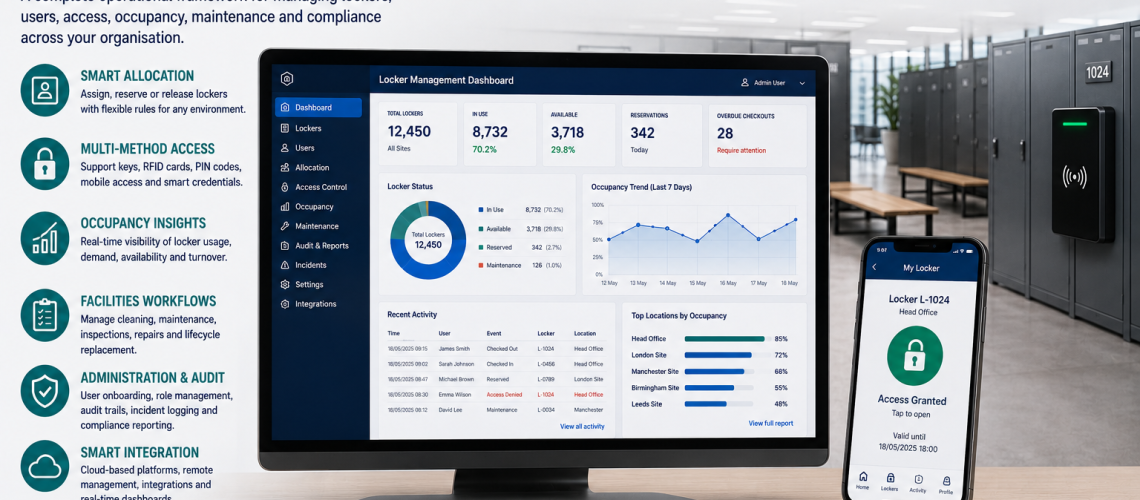
Locker allocation systems determine who receives a locker, whether storage is permanently assigned or shared, and how the available compartments are distributed between different user groups. Choosing the right allocation model helps UK workplaces, schools and changing facilities provide practical storage without creating unnecessary demand for locker space.
This guide compares assigned, shared, hot, temporary, shift-based, departmental, role-based and bookable locker allocation. It explains when each model is suitable, the operational trade-offs and how to estimate the capacity required.
Quick answer: Choose assigned lockers where users need continuing personal storage. Consider shared or hot lockers where users only need storage during visits. Temporary allocation suits short-term users, while shift-based and mixed allocation can suit organisations with different attendance patterns. Always assess peak simultaneous demand before deciding how many lockers are required.
For administering allocations after they have been established, see our Locker Management Systems UK guide. For measuring actual use and demand, read Locker Occupancy Management Systems UK.
What is a locker allocation system?
A locker allocation system is the method an organisation uses to distribute lockers among the people who need them.
It establishes whether a compartment belongs to one user for an extended period, can be used by different people at different times, or is made available through a temporary assignment or booking.
Locker allocation does not necessarily require electronic locks or specialist software. The allocation model is an operational decision that should be made before choosing the access technology.
Compare locker allocation systems
Different allocation methods suit different storage requirements. The following comparison provides a starting point for selecting a model.
| Allocation model | Typical application | Main advantage | Main limitation |
|---|---|---|---|
| Assigned | Permanent staff, students and regular users | Continuing personal storage | Dedicated capacity may be underused |
| Shared | Leisure, flexible workplaces and short-stay users | Reuse between different users | Requires reliable release arrangements |
| Hot | Hybrid offices and flexible attendance | On-demand use of available compartments | Availability may vary at peak times |
| Temporary | Visitors, contractors and short projects | Storage for a defined period | Requires an end or review point |
| Shift-based | Factories, warehouses and healthcare | Capacity organised around working patterns | Shift overlap can increase demand |
| Departmental | Large workplaces and multiple departments | Local access to a defined pool | Capacity may be unevenly distributed |
| Role-based | Specialist equipment and operational functions | Storage linked to a continuing role | Requires handover when personnel change |
| Bookable | Hybrid workplaces and facilities with variable demand | Storage can be reserved in advance | No-shows may reduce effective availability |
Organisations do not have to use a single model throughout a building. A mixed arrangement is often appropriate where different groups have different storage requirements.
1. Assigned locker allocation
Assigned lockers are reserved for an individual, role or team for a continuing period. They are commonly used where people need reliable access to personal belongings, uniforms, equipment or other items that may remain in storage between visits.
When assigned lockers are suitable
- Staff need to store uniforms or personal clothing between shifts.
- Pupils require regular access to books, bags and other belongings.
- Users need predictable access to the same compartment.
- Storage is required for personal equipment or role-specific items.
- Reassigning compartments after every visit would create unnecessary work.
Main benefit: users have a consistent storage location and do not need to find an available locker each time they attend.
Main limitation: a locker remains reserved even when its user is absent. In flexible workplaces, this can leave substantial capacity unavailable to other users.
Assigned storage should not automatically be considered inefficient. Where belongings remain inside overnight, or where a user has a continuing need for a particular locker, dedicated allocation may be more appropriate than shared storage.
2. Shared-use locker allocation
Shared-use lockers are available to different users at different times. The allocation ends after an agreed period, allowing the compartment to be used again.
Shared allocation can suit leisure centres, visitor facilities, universities and workplaces where storage is only required during attendance.
Advantages of shared lockers
- Compartments can serve more than one user over time.
- Capacity can be distributed according to actual attendance.
- Organisations may reduce unnecessary permanent reservations.
- The same locker installation can support different user groups.
Limitations of shared lockers
Shared storage is less appropriate when users need to leave belongings in the same compartment between visits.
It also depends on users releasing lockers when their permitted use ends. If compartments remain held for longer than intended, the available pool becomes smaller.
Detailed release, reset and reassignment procedures are covered in our Locker Management Systems UK guide.
3. Hot locker allocation
Hot lockers are selected from an available pool when required rather than being permanently assigned in advance.
The model is particularly relevant to hybrid and flexible workplaces where attendance changes between days.
For example, a workplace may have more employees than available lockers but fewer employees attending simultaneously. A hot-locker arrangement may be practical if users only need storage while on site.
However, the existence of hybrid working does not establish that every locker can be shared. Some employees may need continuing storage for uniforms, specialist clothing or equipment.
Hot locker planning should consider:
- Typical and peak daily attendance.
- Variation between different weekdays.
- Whether belongings must be removed after each visit.
- The proportion of users who need permanent storage.
- Accessible storage requirements.
- Whether users need advance certainty that a locker will be available.
Hot lockers should be evaluated using attendance and occupancy evidence rather than total employee headcount alone.
4. Temporary locker allocation
Temporary allocation provides storage for a defined period. The user does not retain the compartment indefinitely.
This can suit contractors, agency workers, event attendees, visitors, short-term projects and other users who require storage for a limited time.
The allocation may last for part of a day, one shift, several days or another agreed period.
The important design question is whether storage is required for a known period and whether the compartment can be returned to the available pool afterwards.
The detailed processes for issuing temporary credentials, checking expiry and closing allocations belong in the appropriate management and access-control procedures.
5. Shift-based locker allocation
Shift-based allocation organises storage around the working patterns of different groups. It can be considered in factories, warehouses, transport facilities, healthcare organisations and other workplaces operating multiple shifts.
Several arrangements are possible:
- Permanent lockers for individual employees on each shift.
- Separate locker pools for different shift groups.
- Shared compartments between shifts where storage needs permit.
- A dedicated temporary pool for agency workers or contractors.
- Mixed allocation for permanent staff and changing shift populations.
Why shift overlap matters
One common planning error is to assume that workers on different shifts never need lockers at the same time.
Incoming staff may arrive before the previous shift has finished changing or collecting belongings. This can temporarily increase the number of lockers required.
Where clothing, personal items or PPE remain stored between shifts, sharing may not be practical even if working hours do not overlap.
The relevant measure is the number of users requiring separate storage simultaneously, not simply the number of employees scheduled for each shift.
6. Departmental locker allocation
Departmental allocation reserves compartments for a particular team, floor, department or operational area.
This can simplify local arrangements where departments have different staffing levels, storage needs or locker locations.
The main trade-off is the risk of uneven use. One department may have spare compartments while another experiences shortages.
Departmental allocation should therefore be reviewed periodically to determine whether the reserved capacity still matches demand.
7. Role-based locker allocation
Role-based allocation reserves storage for a defined function rather than permanently assigning it to a named individual.
Examples can include maintenance teams, specialist equipment users, operational supervisors or positions requiring particular protective clothing.
This approach can be appropriate where the storage requirement remains consistent even when the person carrying out the role changes.
The locker may remain allocated to the function, but the organisation should still establish who currently has responsibility for it where accountability is necessary.
8. Bookable locker allocation
Bookable lockers allow users to reserve storage before arriving. The reservation may cover a particular day, time period or recurring attendance pattern.
Booking can be useful where users need certainty that storage will be available or where locker use is linked to other workplace reservations.
However, an advance booking is not proof that the locker was used. Users may reserve storage and then fail to attend.
Before adopting booking, assess whether the benefit of advance certainty outweighs the possibility that reserved lockers remain unused while other users need storage.
Booking platforms, automatic release functions and software integrations are covered in our Smart Locker Management Software UK guide.
How many lockers does an allocation system need?
The quantity of lockers required depends on the number of people needing separate storage at the same time, whether belongings remain inside between visits and the proportion of capacity reserved for continuing users.
For assigned lockers, the number of continuing assignments is an important starting point. For shared or hot lockers, peak simultaneous demand becomes particularly important.
Capacity planning should also allow for temporary users, accessibility requirements, operational contingencies and compartments unavailable because of maintenance.
Example: permanent versus shared allocation
Consider a hypothetical workplace with 120 employees. These figures are illustrative, not measured demand at a particular site.
| Planning factor | Illustrative figure |
|---|---|
| Total workforce | 120 people |
| Employees requiring permanent storage | 30 people |
| Remaining employees using flexible storage | 90 people |
| Observed peak simultaneous flexible demand | 48 people |
| Illustrative additional flexible capacity | 6 compartments |
| Indicative locker requirement | 84 compartments |
In this example, the indicative total is 30 permanently assigned lockers plus 48 lockers for observed peak flexible demand and six additional flexible compartments.
The example does not establish that 84 lockers would be sufficient for any real workplace. Actual requirements must consider attendance variation, storage duration, shift overlap, maintenance, special user needs and the risk of unusually busy periods.
It illustrates why calculating storage solely from a workforce of 120 people may overstate or understate the practical requirement, depending on the allocation model.
Example: shift overlap
Consider a hypothetical facility with two groups of 50 employees. If all staff require lockers during a shift, the minimum simultaneous demand will depend on whether outgoing and incoming staff need storage at the same time.
| Scenario | Simultaneous demand |
|---|---|
| One group present with no storage overlap | 50 lockers |
| Incoming group arrives while 20 outgoing staff still require lockers | 70 lockers |
| Both complete groups need storage simultaneously | 100 lockers |
These scenarios assume the lockers can be released and reused between users and that belongings are not retained between shifts. If individuals need continuing personal storage, higher dedicated capacity may be required regardless of attendance patterns.
For a detailed assessment of usage, see our Locker Occupancy Management Systems UK guide.
Permanent lockers versus shared lockers
Choosing between permanent and shared allocation is one of the most important decisions in locker planning.
| Factor | Permanent allocation | Shared allocation |
|---|---|---|
| Personal ownership | Consistent user responsibility | Changes between users |
| Overnight storage | Generally easier to accommodate | May conflict with release rules |
| Capacity reuse | Limited while allocated | Possible between uses |
| Administration | Lower turnover of assignments | More frequent changes |
| Peak demand | Based largely on dedicated requirements | Requires careful simultaneous-demand assessment |
| Typical user experience | Same compartment each visit | Available compartment during permitted use |
Permanent allocation should not be discarded simply because shared lockers appear to use space more efficiently. For users who store uniforms, PPE or equipment between visits, dedicated storage may be necessary.
When should an organisation use a mixed allocation model?
Mixed allocation combines different approaches within one locker installation or across several buildings.
It is useful when the organisation has several user groups with genuinely different storage requirements.
Example: mixed workplace allocation
| User group | Model to consider | Reason |
|---|---|---|
| Permanent staff with uniforms | Assigned | Continuing personal storage |
| Hybrid office employees | Hot or shared | Variable attendance |
| Visitors | Temporary | Short-duration storage |
| Contractors | Temporary or assigned | Depends on project duration and stored equipment |
| Facilities personnel | Role-based | Storage associated with operational duties |
| Production employees | Assigned or shift-based | Depends on clothing storage and shift overlap |
Using several models allows the organisation to preserve dedicated capacity where it is necessary while making suitable compartments available for occasional use.
Planning locker allocation pools
An allocation pool is a group of compartments reserved for a particular operating model or user group.
Examples include permanent staff lockers, hybrid employee lockers, contractor storage, accessible compartments and temporary visitor lockers.
Pools can simplify allocation by identifying the compartments suitable for each requirement. However, dividing a locker installation into too many small groups can reduce flexibility.
For example, a department may have unused lockers that another team cannot access because all compartments are reserved locally.
Before creating separate pools, consider whether the distinction is required by location, user eligibility, accessibility, storage type or operational necessity.
Locker allocation for schools and colleges
Schools often use assigned lockers because pupils require regular access to books, bags, coats and personal belongings during the academic year.
Possible allocation approaches include:
- One locker assigned to a pupil for an academic year.
- Allocation by tutor group, year group or building.
- Longer-term assignments where pupils retain lockers over several years.
- Temporary storage for new or transferring pupils.
- Short-use lockers in PE and specialist areas where appropriate.
The allocation model should reflect pupil age, storage requirements, accessibility and the way lockers are used during the school day.
For daily school administration, see our School Locker Systems UK guide. For choosing physical locker products, visit our School Lockers UK Guide.
Locker allocation for offices and hybrid workplaces
Offices may have different storage requirements for permanent staff, hybrid employees, visitors, contractors and people working across several locations.
Permanent staff who store personal equipment may require dedicated lockers, while employees who attend only on selected days may be suited to shared or hot storage.
Organisations should measure busy-day attendance before changing the allocation model. Average attendance alone may conceal days when demand is considerably higher.
Advance booking may be useful where employees need certainty, but it should not be introduced without considering the consequences of unused reservations.
Locker allocation for factories and warehouses
Industrial and warehouse facilities may need to provide storage for permanent workers, rotating shifts, agency staff, contractors and employees using PPE or specialist clothing.
The allocation model should reflect whether employees need to retain items between shifts and whether changing periods overlap.
Where personal uniforms or protective equipment must remain stored, dedicated assignment may be appropriate. Shared or shift-based storage should be considered only where the practical requirements permit reuse.
Locker allocation for healthcare facilities
Healthcare organisations may combine permanent staff lockers, department-based allocation, rotating shifts and temporary storage for bank or agency workers.
The allocation should account for department location, attendance patterns, clothing requirements and the way staff use changing facilities.
Different departments may need different allocation models rather than one standard approach across the entire site.
For healthcare-specific changing and storage arrangements, read our NHS and Healthcare Changing Room Planning UK guide.
Locker allocation for leisure facilities
Leisure centres, gyms and changing facilities commonly have users who require lockers only during their visit.
Shared or temporary allocation can be appropriate because the same compartment may be used by several people over the course of a day.
Capacity planning should account for busy sessions, group activities, class changeovers and the time needed for users to change before and after activities.
A high number of visits throughout a day does not mean that every visitor needs a separate locker simultaneously. Peak overlapping demand is the more useful planning measure.
Should locker allocation use manual records or software?
Locker allocation can be managed manually or with software. The choice should be based on operational complexity rather than assuming that a digital system is always better.
| Method | Can suit | Main consideration |
|---|---|---|
| Paper register | Small, stable installations | Records must be accurate and accessible to authorised staff |
| Spreadsheet | Installations with manageable allocation changes | Version control and responsibility for updates |
| Standalone electronic access | Keyless storage with local administration | Does not necessarily provide central allocation software |
| Booking software | Facilities using advance reservations | Management of no-shows and booking periods |
| Connected locker platform | Complex shared-use or multi-site installations | Compatibility, integration, cost and ongoing support |
The allocation model should be selected first. Software should then be evaluated against the work required to operate that model.
For software functionality, connected platforms and integrations, see Smart Locker Management Software UK.
When should an organisation change its allocation model?
An allocation model should be reviewed when actual storage requirements change or evidence shows that the existing arrangement is no longer suitable.
Reasons for review may include:
- Large numbers of permanently assigned lockers appear to be rarely used.
- Users increasingly attend on different days.
- Temporary staff and contractor numbers have changed.
- New shift arrangements create different periods of peak demand.
- Some departments have unused capacity while others report shortages.
- Shared lockers are repeatedly unavailable at busy times.
- Storage requirements have changed because of uniforms, PPE or equipment.
- The administrative workload is disproportionate to the storage provided.
A change should be supported by suitable evidence. An apparently inactive assigned locker may still be needed for belongings retained between visits.
Common locker allocation mistakes
| Mistake | Why it matters |
|---|---|
| Using permanent allocation for everyone | Some users may only require occasional storage |
| Introducing shared lockers without checking storage duration | Users may need to leave belongings overnight |
| Planning from total headcount alone | Does not establish simultaneous demand |
| Ignoring shift overlap | Incoming and outgoing groups may need lockers together |
| Assuming bookings equal occupancy | No-shows may leave reserved compartments unused |
| Creating too many departmental pools | Capacity can become trapped in separate groups |
| Choosing locks before deciding the model | Access technology may not support intended operation |
| Overlooking accessible storage needs | A nominally available locker may be unsuitable for a particular user |
| Changing models without reviewing administration | Shared use may introduce additional management requirements |
Locker allocation decision guide
The following guide provides an initial indication of which models deserve further consideration.
| Storage requirement | Allocation model to consider |
|---|---|
| Continuing personal storage | Assigned |
| Occasional daytime storage | Shared or hot |
| Storage for a fixed short period | Temporary |
| Rotating shifts | Shift-based or mixed |
| Storage managed by individual departments | Departmental |
| Storage associated with a job function | Role-based |
| Guaranteed reservation before arrival | Bookable |
| Different storage requirements across several groups | Mixed allocation |
These are starting points, not automatic selections. Final decisions should reflect actual demand, operational requirements and the physical lockers available.
Locker allocation planning checklist
- Identify which users require continuing personal storage.
- Identify users who only need storage while on site.
- Confirm whether belongings must remain stored overnight.
- Measure peak simultaneous demand.
- Include shift handovers and overlapping user groups.
- Account for visitors, contractors and temporary staff.
- Consider accessibility and suitable compartment locations.
- Identify the need for departmental or specialist storage pools.
- Check whether advance booking offers a genuine benefit.
- Allow for maintenance and unavailable compartments.
- Consider how shared lockers will return to availability.
- Choose suitable lock technology after establishing the operating model.
- Review whether the system can be administered reliably.
Related locker allocation and management guides
Locker allocation is one part of a complete storage management arrangement. These guides address related subjects in more detail.
- Locker Management Systems UK for onboarding, offboarding, access association and reassignment.
- Locker Occupancy Management Systems UK for actual use, utilisation and available capacity.
- Smart Locker Management Software UK for booking, software platforms, central administration and integrations.
- School Locker Systems UK for education-specific allocation and management.
- NHS and Healthcare Changing Room Planning UK for healthcare storage and changing facilities.
Locker allocation systems and Total Locker Service
Total Locker Service supplies commercial lockers and locking equipment for UK schools, workplaces, leisure facilities, healthcare environments and industrial organisations.
Choosing the intended allocation model before ordering helps establish the number and type of compartments required, the expected access arrangements and whether users need permanently assigned or shared storage.
Browse our commercial lockers range and locker locks to explore available product options.
Locker Allocation Systems UK FAQs
What is a locker allocation system?
A locker allocation system determines how available compartments are distributed between users. It defines whether storage is assigned permanently, shared, selected on demand, issued temporarily, organised by shift or reserved in advance.
What is the difference between assigned and shared lockers?
Assigned lockers remain reserved for an individual or defined user group over a continuing period. Shared lockers are released and reused by different people at different times.
What is a hot locker system?
A hot locker system allows users to select available storage when required rather than retaining the same compartment permanently. It can suit flexible and hybrid workplaces where attendance varies.
Can lockers be shared between different work shifts?
They can be shared where storage requirements and working patterns permit it. Planning must account for shift overlap, changing time and whether personal belongings or equipment remain stored between shifts.
How many lockers are required for hybrid workers?
The requirement depends on peak simultaneous attendance, the number of users needing permanent storage, the duration of storage, accessibility requirements and suitable contingency capacity. Total employee headcount alone is insufficient.
Are locker booking systems better than hot lockers?
Not necessarily. Booking offers advance certainty where reservations are useful, while on-demand hot lockers avoid reserving compartments before arrival. The appropriate choice depends on demand, user behaviour and the consequences of no-shows.
Can one building use several locker allocation models?
Yes. A building may use assigned lockers for permanent staff, hot lockers for hybrid workers, temporary storage for visitors and role-based compartments for specialist functions.
Does locker allocation require smart locker software?
No. Smaller and stable installations may use manual registers or spreadsheets. Software becomes more useful where there are frequent changes, large shared pools, booking requirements or multiple locations.
Is locker allocation the same as locker occupancy?
No. Allocation defines who is entitled to storage and under which model. Occupancy examines whether and how compartments are actually being used, helping organisations assess demand and utilisation.
Summary: choosing the right locker allocation model
The right locker allocation system depends on how people use the storage, how long they need it and whether compartments can be reused between different users.
Assigned lockers suit continuing personal storage. Shared and hot lockers can suit flexible use. Temporary, shift-based, departmental, role-based and bookable arrangements address other operational requirements.
Before selecting a model, assess peak simultaneous demand, storage duration, user groups, accessibility and administration. Mixed allocation may provide the most practical arrangement where requirements differ across a site.
For available products, explore our commercial locker range. For managing allocations after implementation, read Locker Management Systems UK.
Discover more from Blog Total Locker Service
Subscribe to get the latest posts sent to your email.