Tablet Charging Lockers for Schools: Secure Storage for Classrooms and IT Suites
April 16, 2026
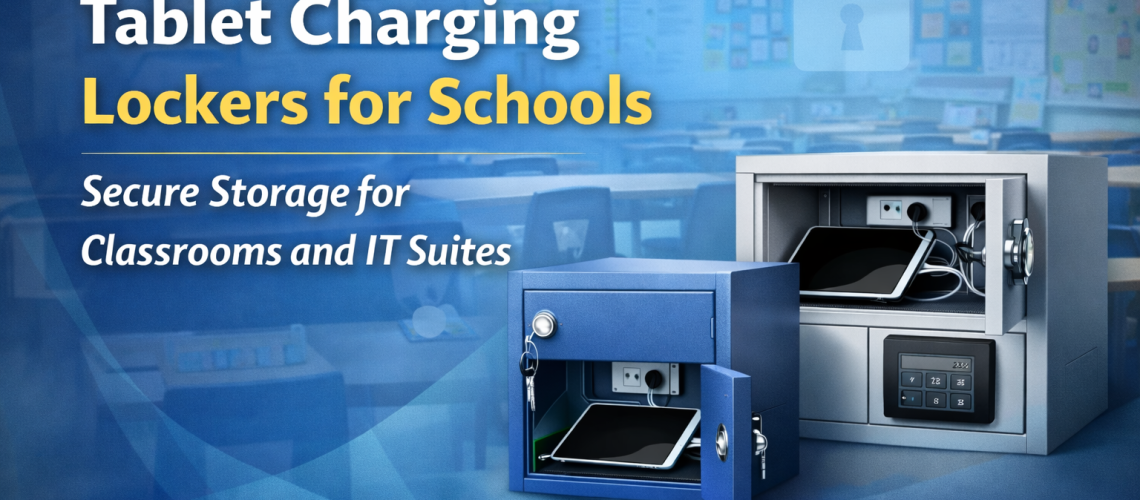
Tablet charging lockers help schools keep devices secure, organised and ready for use. In classrooms, IT suites, libraries and shared learning spaces, tablets are now part of everyday teaching. charging lockers That brings clear benefits for learning, but it also creates a practical storage problem. Devices need to be protected, charged and easy to manage between lessons. Without a proper system, tablets can quickly become difficult to track, slow to issue and awkward to store.
That is why tablet charging lockers are becoming a useful addition in many UK schools. They provide secure compartments with integrated charging, allowing tablets to be stored while connected to power. This helps devices stay ready for the next lesson while reducing clutter, improving control and making shared equipment easier to manage.
For schools using class sets, shared departmental devices or centrally managed IT equipment, charging lockers can support both security and day-to-day organisation. They work especially well where tablets move between teaching spaces, are shared across staff groups or need to be stored securely at the end of the day.
For the full topic overview, read our complete charging lockers guide.
If you are reviewing powered storage more broadly, see our main Charging Lockers UK guide. If you want to browse product options, visit our charging lockers and laptop and tablet charging lockers range.
What are tablet charging lockers?
Tablet charging lockers are secure storage lockers designed to hold tablets while they charge. Each compartment is built to accommodate a tablet and its charging connection, so the device can be plugged in, stored safely and left ready for later use. This gives schools a much more controlled alternative to leaving tablets on desks, on open shelving or in general-purpose cupboards.
Unlike standard lockers, tablet charging lockers are designed around powered storage. That means they are intended not only to keep devices secure, but also to support the practical needs of charging, cable routing and regular access. In schools, that matters because devices are often used intensively across the day and need to be available again with minimal delay.
They are particularly useful where tablets are shared rather than individually assigned. A classroom set, department pool or centrally managed bank of devices benefits from being stored in one place that is easy for staff to access and manage.
Why schools need secure tablet storage
Tablets are valuable educational tools, but they are also portable, high-use items that can be misplaced, damaged or left uncharged if the storage system is poor. In many schools, the devices themselves are only one part of the challenge. The real difficulty comes from managing them consistently across classes, teachers, departments and different parts of the school.
Without a proper storage system, schools often run into familiar issues. Tablets are left in teaching rooms without charge. Chargers become mixed up or go missing. Devices are spread across more than one cupboard. Staff cannot quickly tell which devices are available and which need attention. At the start of a lesson, that wastes time. Over a full term, it creates friction that affects both teaching and device care.
Tablet charging lockers help solve those problems by creating one clear storage point. The tablets are stored securely, the charging setup stays more organised and staff have a better basis for issuing, returning and checking equipment. That improves security, but it also improves routine.
View charging lockers for schools and shared devices.
Where tablet charging lockers work best in schools
Tablet charging lockers can support a wide range of education environments, but they are particularly useful in spaces where shared devices need to be stored and accessed regularly.
Classrooms
Where a class set of tablets is used by one teacher or one department, a charging locker can provide secure local storage without devices having to move back and forth across the school. This helps reduce setup time and keeps the tablets close to the teaching space where they are used most often.
IT suites and digital learning areas
In IT suites and digital learning spaces, charging lockers can form part of a broader managed technology setup. Tablets can be stored systematically, charged between sessions and issued in a way that feels structured rather than improvised.
Libraries and shared resource hubs
Some schools manage devices centrally through a library or resource base. In that arrangement, charging lockers are especially useful because they help create a defined issue-and-return point. Staff can identify where devices belong and keep them powered between bookings or lessons.
Staff-only storage zones
Where tablets are used across more than one class or year group, staff-only storage areas can be a sensible location. These spaces can support better security while still allowing devices to be collected and returned efficiently.
Benefits of tablet charging lockers for schools
The main advantage of tablet charging lockers is that they combine several practical benefits in one system.
- Secure storage: tablets are kept behind locked doors rather than left in open rooms or ordinary cupboards.
- Integrated charging: devices can be stored while charging, helping them stay ready for lessons.
- Better organisation: tablets and chargers are kept in one clear location.
- Faster lesson preparation: staff spend less time collecting devices or checking battery levels.
- Improved asset control: it is easier to see which devices are in place and which are not.
- Reduced clutter: teaching areas stay tidier when devices are not spread across desks or shelves.
These benefits become even more noticeable where tablets are shared by several teachers, departments or student groups. The more often the devices move between users, the more valuable a structured charging-storage system tends to be.
Tablet charging lockers vs trolleys and cupboards
Many schools already use trolleys, cupboards or general storage units for tablets, so it is worth looking at how charging lockers differ. Each storage method can have a place, but they do not all solve the same problem equally well.
A cupboard may hide the devices away, but it is not always designed for secure charging and repeated organised access. A trolley can help with movement between rooms, but it may take up more circulation space and is not always the best choice where tablets are stored mainly in one place. A tablet charging locker is usually most useful when the goal is secure fixed-location storage with integrated power and controlled access.
If you are choosing between device numbers and compartment formats, see charging locker sizes explained and shared vs assigned charging lockers.
| Storage type | Main strength | Main limitation |
|---|---|---|
| Ordinary cupboard | Simple enclosed storage | Not purpose-built for charging and device organisation |
| Charging trolley | Portable between rooms | Can take up space and may not suit fixed-location storage |
| Tablet charging locker | Secure fixed storage with integrated charging | Less mobile, so best when the storage point is known |
The best choice depends on how the devices are used. If the tablets mainly stay in one department, classroom cluster or shared digital area, lockers can be a very strong option. If they need to move constantly between locations, a trolley may still suit some schools better. In many cases, a site may even use both for different needs. If you are reviewing device storage more broadly, start with our guide to what charging lockers are.
How to choose the right tablet charging lockers
The right specification depends on how the tablets are managed in your school. A few practical questions usually help narrow the choice.
- How many tablets need to be stored and charged?
- Are they used by one class, one department or the whole school?
- Will all tablets need charging at the same time?
- Where are the devices usually collected and returned?
- Do staff need one central locker bank or several smaller ones?
- Is future growth likely as digital teaching expands?
Capacity is one of the most important factors. A locker that is already full gives the school little room to expand or accommodate spare devices. Allowing some headroom is usually sensible, especially if tablet use is increasing year by year.
It is also worth thinking about how quickly devices need to be accessed. A central locker with all tablets in one place may suit some schools well. Others may benefit from smaller locker banks distributed closer to the teaching areas that use them most often. The correct answer depends on movement patterns, supervision and how much centralisation the school wants.
Central storage vs local classroom storage
Schools usually lean towards one of two main models. The first is central storage, where tablets are kept in a library, resource hub, IT base or staff-controlled room. The second is local storage, where a classroom or department stores its own devices nearby.
Central storage offers stronger oversight and can make it easier to manage a shared pool of devices. It is often a good fit where tablets are booked by different teachers or used across several departments. The downside is that devices may need to be collected and returned more often, which can create movement at busy times.
To browse suitable products, view our charging lockers range. Then return to the main charging lockers guide for wider planning advice.
Local classroom storage reduces that travel and can speed up lesson setup. Devices stay closer to the teaching space, and staff may find it easier to work them into routine lessons. The trade-off is that responsibility becomes more distributed, so the school needs to be confident that local management will stay consistent.
Tablet charging lockers can work well in either model. The key is to choose the location based on actual workflow rather than treating the equipment room as the automatic answer. Schools should also look at charging locker sizes and charging locker capacity so the unit matches class sets, shared devices and return routines.
Security and access control in school settings
Because tablets are both valuable and portable, security matters. The lockers themselves need to protect the devices, but schools also need to think about who can access them and how the storage point is supervised.
In most schools, tablet charging lockers work best in staff-controlled locations or in spaces where access is clearly managed. Lock choice should reflect who needs access. Some schools may prefer simple keyed access for staff. Others may want a lock system that supports more controlled or shared management.
The wider routine matters too. A secure locker is most effective when there is also a clear process for returning devices, checking condition and confirming that tablets are back on charge after use. That does not need to be complicated, but it does need to be consistent.
If wider lock planning is part of your project, our locker locks page may be useful alongside this guide.
Planning layout and installation in schools
Placement affects how successful the lockers will be in everyday use. A locker that is technically secure but awkward to reach or badly positioned can still slow lessons down and create frustration. Good placement should balance access, supervision and practicality.
When choosing the location, think about:
- whether the lockers are close to the teaching spaces that use the tablets most often
- whether the area has suitable power access
- whether the space is staff-controlled or supervised
- whether several users will need access at the same time
- whether doors can open comfortably without blocking a busy route
In schools, timing matters. Lessons often start and end in clusters, so avoid installing device-storage lockers in a position that creates congestion in a narrow corridor or doorway. If several people are collecting devices close together, the surrounding circulation space needs to support that.
For broader locker-planning ideas, our locker layout planning guide may help with the spacing side of the project.
What features matter most in a school environment?
Schools usually benefit most from charging lockers that prioritise simplicity, durability and ease of routine use.
- Practical compartment sizing: the tablet should fit comfortably with its charging arrangement.
- Integrated charging: the locker should support powered storage properly rather than relying on an improvised setup.
- Clear organisation: staff should be able to tell quickly where devices belong.
- Strong build quality: school equipment needs to cope with repeated daily use.
- Suitable security: the lock choice should match the access model.
- Easy day-to-day handling: staff need to collect and return devices without unnecessary fuss.
The best product for a school is not always the most complex one. It is usually the one that fits the actual teaching pattern and makes everyday use smoother.
Common mistakes to avoid
Tablet charging lockers tend to work very well when they are planned properly. Most problems come from a handful of avoidable mistakes.
- Choosing the wrong location. If the locker is too far from the teaching area, staff may stop using it consistently.
- Underestimating capacity. Digital learning often grows, so extra space is useful.
- Using general cupboards for a charging-storage problem. That can create disorder rather than solving it.
- Ignoring how devices are actually issued and returned. Workflow matters as much as the product itself.
- Not defining who is responsible. Shared equipment works better when the management process is clear.
A little planning upfront usually prevents these issues and helps the charging-locker system fit into school routine much more naturally.
For the wider category overview, read our charging lockers UK guide.
If you are planning around class sets or pooled devices, our charging locker sizes explained guide will help you compare locker formats and overall footprint.
Location also matters in schools, so it is worth reading where to install charging lockers before finalising the layout.
If the devices are being charged repeatedly through the day, see do charging lockers need ventilation.
How tablet charging lockers support teaching efficiency
There is also a practical teaching benefit to good device storage. Lessons run more smoothly when tablets are charged, easy to find and ready to issue. Staff spend less time troubleshooting storage problems, and transitions between activities become easier to manage. That may sound like a small operational gain, but across a full school week it can save a meaningful amount of time.
Charging lockers also support better care of the equipment itself. Devices are less likely to be stacked carelessly, left uncharged or moved around without structure. Over time, that can contribute to better asset lifespan and a tidier overall digital-learning setup. Before installation, read our guide on where to install charging lockers and whether charging lockers are safe for school use.
Frequently asked questions about tablet charging lockers for schools
Are tablet charging lockers better than normal cupboards?
For secure charging and organised device management, yes. A normal cupboard may hide the tablets away, but it is not designed around charging and repeated structured access in the same way.
Should schools use central or classroom-based tablet storage?
Either can work. Central storage offers stronger oversight, while classroom-based storage can reduce movement and speed up lesson setup. The right model depends on how the tablets are used across the school.
Can tablet charging lockers be used in IT suites?
Yes. They are a strong fit for IT suites, digital learning spaces, libraries and other shared-resource areas where secure charging storage is needed.
What is the main benefit for schools?
The biggest benefit is that they combine secure storage, charging and organisation in one system, making shared school devices easier to manage and more reliable for daily teaching use.
Choosing the right tablet charging lockers for your school
Tablet charging lockers give schools a more secure and organised way to manage shared digital devices. They help keep tablets charged, reduce clutter, support smoother lesson preparation and bring more consistency to how devices are stored and issued across the school day.
The right setup depends on how your tablets are used, where they are stored and whether the school wants central oversight or more local access near the classroom. charging lockers In both cases, a purpose-built charging locker is usually a better long-term answer than relying on improvised storage.
If you are planning secure charging storage for school tablets, browse our laptop and tablet charging lockers, explore the wider charging lockers range or return to the main Charging Lockers UK pillar page for the full overview.
Discover more from Blog Total Locker Service
Subscribe to get the latest posts sent to your email.