Can You Store USB Drives in a Fire Safe?
April 27, 2026
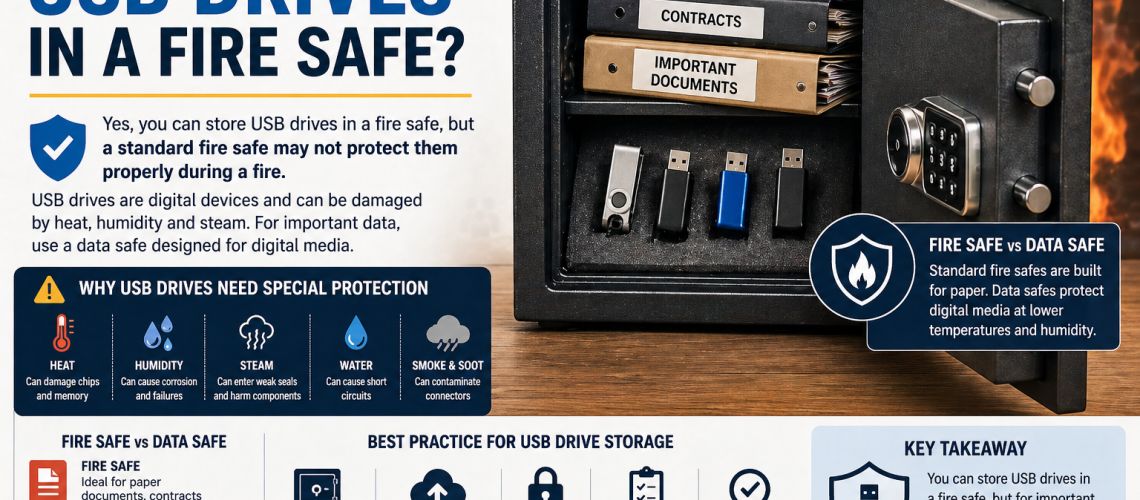
You can physically store USB drives in a fire safe, but a standard fire safe may not protect them properly during a fire. Many fire safes are designed for paper documents, while USB drives, external SSDs and other removable digital media can be damaged by lower temperatures, humidity and steam.
This means the safe type matters. A document fire safe may protect contracts, certificates and paperwork, but it may not provide the lower internal temperature and humidity protection needed for electronic storage media.
This guide focuses specifically on USB drives and similar removable digital storage. For the broader distinction between document fire protection and specialist media protection, see our Data Safes vs Fire Safes UK guide.
Can USB Drives Go in a Fire Safe?
USB drives can be placed inside a fire safe for organisation and basic physical security. However, they should not be assumed fire-protected unless the safe is specifically rated for digital or data media.
A standard document fire safe is usually designed around paper survival. Paper can tolerate higher internal temperatures than many electronic components, plastics, solder joints and memory devices.
Practical answer: if the USB drive contains important data, use a data-rated safe rather than relying on a standard document fire safe.
Why USB Drives Need Different Protection
A USB drive contains flash memory, a controller chip, soldered connections, a connector, a circuit board and an outer case. Heat, humidity and rapid temperature change can damage these parts even when the drive does not visibly burn.
The same principle applies to external SSDs and other small removable storage devices. The outer casing may survive while the electronics or stored data inside are damaged.
- Heat can damage chips, plastics, circuit boards and solder joints.
- Humidity can affect electronic contacts and internal components.
- Steam can enter weak seals and encourage corrosion.
- Water can create additional damage, particularly if affected media is powered before it has been assessed.
- Smoke and soot can contaminate connectors and exposed components.
Which Removable Media May Need Data Safe Protection?
The need for specialist protection is not limited to traditional USB memory sticks. Businesses may keep local recovery data on several types of removable media.
- USB flash drives
- External solid-state drives (SSDs)
- External hard drives
- Memory cards
- Portable backup drives
- Optical discs and other removable archive media where appropriate
The important point is not the connector or physical size of the device. It is whether the safe is designed to protect the type of media being stored.
Fire Safe vs Data Safe for USB Drives
For USB drives, the main difference is the internal environment during a fire. A document fire safe is built primarily around paper protection. A data safe is intended for more temperature-sensitive media and may also provide tighter control of humidity and other conditions.
| Storage type | Best for | USB drive suitability |
|---|---|---|
| Standard document fire safe | Paper documents, contracts and certificates | Do not assume suitable unless rated for digital media |
| Data safe | USB drives, external drives, tapes and other media | Appropriate where the product rating matches the media |
| Fire-resistant filing cabinet | Large paper filing systems | Not a primary USB protection solution unless specifically data-rated |
| Ordinary lockable cabinet or drawer | Organisation and basic physical security | No specialist fire protection |
Key takeaway: check the media rating of the safe rather than relying on the words “fire safe” alone.
For detailed guidance on the wider distinction between document and media protection, including temperature limits and safe selection, read Data Safes vs Fire Safes UK.
Are USB Drives Safe in a Waterproof Fire Safe?
Not necessarily. Water resistance can be useful, but it does not automatically make a safe suitable for USB drives or other digital media.
Fire protection, water resistance and data-media protection are separate specification points. A safe may resist water ingress but still allow internal temperatures that are too high for electronic storage.
Specification consequence: check whether the safe is rated for digital or data media, not only whether it is described as fire-resistant or water-resistant.
How Should Businesses Store USB Backups?
If a business uses USB drives, portable SSDs or external drives for local recovery copies, the physical storage should be considered separately from the backup process itself. A data safe can protect on-site media, but it should not be treated as the entire backup strategy.
- Identify which USB drives or portable media contain recovery-critical data.
- Label and date backup media clearly so old copies are not confused with current recovery sets.
- Encrypt sensitive business data where appropriate.
- Keep another recovery copy away from the same physical risk where required by the backup plan.
- Test that the stored backup can actually be restored.
- Use data-rated physical protection for important on-site removable media.
This article is concerned with the physical fire protection of removable media. Wider backup architecture, cloud strategy and disaster-recovery planning should be handled as separate IT decisions.
Common Mistakes When Storing USB Drives
- Assuming every fire safe protects digital media: many products are designed primarily for paper.
- Choosing by fire duration alone: the media type and permitted internal conditions also matter.
- Using a document fire safe for important removable media without checking its rating.
- Assuming a waterproof safe is automatically a data safe.
- Keeping the only recovery copy in one building: physical fire protection does not remove every business-continuity risk.
- Failing to test stored backups: protected media is of limited value if the recovery copy cannot be restored.
What Should You Check Before Storing USB Drives in a Safe?
- Is the safe specifically suitable for digital or data media?
- What type of media does the manufacturer say the rating covers?
- What fire-protection duration is provided?
- Does the specification address internal humidity where this matters for the media?
- Does the product have any relevant water-resistance specification?
- Is there another backup copy stored separately?
- Has the stored recovery media been tested?
If the specification does not state that the safe is suitable for the media being stored, do not assume a paper-rated fire safe will provide equivalent protection.
Commercial Data Safes for USB and Backup Media
Total Locker Service supplies specialist Phoenix data safes for businesses that need fire-resistant storage for USB drives, hard drives, backup media and other data-storage formats. Choose the range according to the required capacity, locking method and product specification.
- Phoenix DS2000 Series DataCare Data Safes – compact specialist data protection for smaller quantities of backup and removable media.
- Phoenix DS2500 Data Combi Safes – larger-capacity data-safe storage for commercial media protection.
- Phoenix DS4620 Data Commander Safes – high-capacity specialist storage for business-critical data media.
Can You Store USB Drives in a Fire Safe? Final Answer
USB drives can be stored inside a fire safe, but a standard document fire safe should not automatically be treated as suitable fire protection for digital media. The safe must be matched to the type of media being protected.
For important USB drives, external SSDs and removable business backups, choose a product rated for the relevant data media. Keep the broader backup strategy separate: physical protection of one on-site copy is only one part of reliable recovery planning.
Frequently Asked Questions
Can USB drives survive in a fire safe?
Only if the safe is suitable for the type of digital media being stored. A standard document fire safe may protect paper while still allowing conditions that are unsuitable for USB drives.
Is a data safe better for USB drives?
A data safe is the appropriate choice where its rating covers the digital media being stored. Check the exact product specification rather than assuming every data safe protects every media type.
Can external SSDs be stored in a data safe?
External SSDs are also heat-sensitive electronic media. Use a safe whose manufacturer specification confirms that it is suitable for the relevant digital or data media.
Does a waterproof fire safe protect USB drives?
Not necessarily. Water resistance and data-media fire protection are separate specifications. Check that the safe is suitable for the digital media being stored.
Should a business use USB drives as its only backup?
Important business data should not depend on one removable drive stored in one location. A data safe can protect an on-site copy, while the wider backup and recovery plan should provide additional copies as required.
Related Data Safe Guides
- Data Safes vs Fire Safes UK: Media Temperature Limits and Digital Storage Protection
- Fire Safe vs Data Safe vs Filing Cabinet
Discover more from Blog Total Locker Service
Subscribe to get the latest posts sent to your email.