Locker Security Options: Locks, Keys and Access Control Explained
April 11, 2026
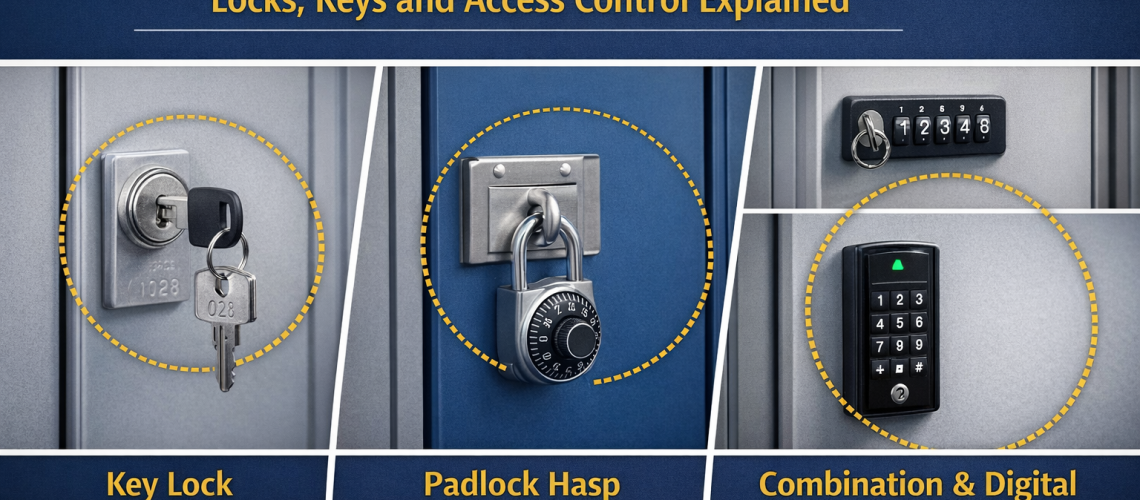
Locker security is one of the most important parts of choosing the right storage system. The locker body, material and layout all matter, but the lock is what users interact with every day. It shapes convenience, control, maintenance and the overall feeling of security.
In schools, workplaces, gyms, leisure centres and commercial settings, different users need different levels of locker security. Some sites want a simple key lock for assigned use. Others need shared-use access for visitors or staff. Some want digital convenience. Others need tighter administrative control over access and replacement.
This guide explains the main locker security options, including locks, keys and access control systems, so you can choose the right setup for your environment.
Why locker security matters
Locker security is not only about preventing theft. It also affects how easy the lockers are to manage, how quickly users can access their belongings, how often parts need replacing and how much administrative support the system needs.
A well-matched locking system can help you:
- protect personal belongings more effectively
- match the locker to assigned or shared use
- reduce frustration for users and site managers
- improve control over replacement keys, overrides and access rights
- support the day-to-day running of the locker area
- balance security, convenience and cost more effectively
A poor lock choice can create the opposite result. Keys go missing, users forget codes, staff spend too much time helping with access problems and the locker system becomes harder to manage than it should be.
Start with how the lockers will be used
Before choosing a lock type, it helps to define the use model. Security needs are very different when lockers are permanently assigned compared with a shared-use bank in a gym or public facility.
Ask practical questions first:
- Will the lockers be assigned to one person or shared by many users?
- Are the users staff, students, visitors or members of the public?
- How often will users change?
- Will site staff need regular override access?
- Is simplicity more important than advanced control?
- How much administration can the site realistically support?
Once those answers are clear, it becomes much easier to narrow down the best security option.
Key locks: simple and familiar
Key locks remain one of the most familiar locker security options. They are widely used because they are straightforward and easy for most users to understand. For assigned lockers in schools, workplaces and staff areas, a keyed system can still be a very practical choice.
Why key locks work well
- easy for users to understand
- well suited to permanently assigned lockers
- simple daily operation
- widely used across many locker types
- often a cost-effective option for straightforward installations
Points to consider with key locks
Keys can be lost, borrowed, copied or forgotten. That means administrators need a sensible process for replacement, spare key control and emergency access. In some environments, managing large numbers of physical keys can become a task in its own right.
Key locks are often best for:
- schools with assigned student lockers
- staff lockers in workplaces
- office lockers for regular users
- sites that want a familiar and simple solution
Hasp locks and padlock fittings: flexible user control
Some lockers are designed to work with a hasp fitting so the user adds their own padlock. This is a flexible arrangement because the site does not need to issue every lock directly. It can work well in places where users are expected to bring or buy their own lock.
Why hasp and padlock systems appeal
- simple locker preparation without a built-in lock body
- users can control their own padlock choice
- useful where a site wants lower direct lock management
- common in schools, gyms and temporary-use settings
Points to consider with padlock use
Padlock systems can create inconsistency if users bring different lock sizes or qualities. They may also look less uniform across a locker bank. When access problems occur, site staff may need a clear policy for dealing with forgotten combinations or removed locks.
These systems are often best for:
- shared-use gym lockers
- schools where students manage their own locks
- short-term user environments
- sites that want a low-complexity solution
Mechanical combination locks: no physical key to manage
Mechanical combination locks remove the need for a physical key. Instead, the user enters a code to open the locker. This can reduce issues around key loss and can be particularly attractive where lockers are shared or where sites want to avoid handling large numbers of physical keys.
Advantages of mechanical combination locks
- no key to carry or lose during normal use
- well suited to shared-use locker banks
- can offer a tidier, more integrated appearance than user-supplied padlocks
- help reduce the administrative burden of key issue in some environments
Points to consider with mechanical combination locks
Users can forget their code, especially in casual or infrequent-use settings. Site staff may still need an override or reset process. It is also important to match the lock type to the use model, as some combination systems are better suited to assigned lockers and others to repeated short-stay shared use.
Mechanical combination locks are often best for:
- gym and leisure lockers
- staff changing rooms
- office lockers where users want key-free convenience
- sites that want a balance of practicality and cleaner appearance
Digital and electronic locker locks: more convenience and control
Digital locker locks bring access control into a more advanced category. Depending on the system, users may open lockers with a keypad code, token, card, wristband or another electronic credential. These options are often chosen where convenience, user turnover or management control matter more.
In some environments, electronic access can help streamline locker management. It can also support a more modern user experience, especially in leisure, workplace and visitor-facing settings.
Why digital locker access appeals
- supports key-free access
- can suit high-turnover shared-use environments
- often offers a more modern user experience
- can help site managers control access more centrally
- useful where lockers form part of a broader managed facility
Points to consider with digital systems
Electronic systems usually require a higher initial investment and more careful planning. Power, maintenance, user instructions and administrative processes all matter. The system should be chosen for a clear operational reason rather than just because it feels more advanced.
Digital locks are often best for:
- premium gyms and leisure centres
- workplaces with managed staff access systems
- visitor or shared-use locker banks
- projects where convenience and administrative control are both priorities
Access control options: what does that really mean?
Access control in locker systems means managing who can open which locker and how that permission is handled. In simple setups, this may only involve issuing keys. In more advanced systems, it may include shared-use programming, user credentials, override permissions or central administrative control.
Access control becomes more important when:
- lockers are shared by many users
- staff need emergency or supervisory access
- the site has different user groups
- visitor access needs to be simple but controlled
- management wants more visibility over the locker estate
The right access control approach depends on the environment and the level of oversight the site requires.
Assigned lockers vs shared-use lockers: the security choice changes
The best locker security option often depends on whether the locker is assigned or shared.
Assigned lockers usually suit key locks or some personal combination locks because the same user returns to the same compartment each day.
Shared-use lockers often benefit from systems that can support frequent user change without heavy administration, such as padlock fittings, certain combination locks or more advanced digital access options.
The lock should support the usage model rather than work against it.
Key management still matters even when the lock seems simple
Key management is easy to underestimate. A simple keyed locker system can become difficult to run if spare keys, replacement procedures and override access are not planned properly. The same principle applies to codes and digital credentials too. Every system needs a clear management process behind it.
Good locker key and access management usually includes:
- clear issue and return procedures
- controlled handling of spare or master access
- a documented replacement process
- staff guidance for dealing with forgotten access details
- a sensible balance between convenience and security
Without a clear management process, even a good lock can become a source of daily friction.
How to choose the right locker security option
Choosing the right system is usually easier when you compare the site’s needs against the strengths of each option.
Chooseing a simple keyed system when:
- lockers are assigned to regular users
- the site wants a familiar and straightforward solution
- staff can manage key issue and replacement reliably
Choose a padlock-ready system when:
- users are expected to bring or manage their own lock
- the environment is shared-use or short-stay
- the site wants low lock administration on its side
Chooseing a combination system when:
- you want to reduce dependence on physical keys
- lockers are shared or used by changing groups
- users are likely to value key-free access
Choose a digital or access-controlled system when:
- the site needs a more managed or premium solution
- user turnover is high
- central oversight or integration matters
- convenience and administration both need to be improved
Common mistakes when choosing locker locks
Several mistakes appear again and again when locker security is chosen too quickly.
- choosing the cheapest lock without considering how the lockers will be used
- using a keyed system in a setting where user turnover is too high
- assuming digital always means better
- ignoring the staff time needed for access support and overrides
- forgetting to plan for replacement keys, forgotten codes or user lockouts
- treating security and convenience as separate issues rather than linked ones
The strongest choice usually comes from matching the lock to the environment, the user type and the management model together.
Final thoughts on locker locks and access control
Locker security works best when it is practical as well as secure. The right option depends on how the lockers are used, who uses them and how much control the site needs. Key locks, padlock fittings, combination locks and digital access systems all have a place. The best choice is the one that supports the environment without creating avoidable daily problems.
If you are comparing locker security options, start with the user model first. From there, look at convenience, administration, override access and long-term management. That approach usually leads to a much stronger result than choosing by habit or appearance alone.
To explore more practical guidance, browse our locker range, compare locker lock options, and read more advice on the Total Locker Service blog.
Discover more from Blog Total Locker Service
Subscribe to get the latest posts sent to your email.