Data Safes UK: Fire Protection for Digital Media, Backups and Business Data
October 1, 2026
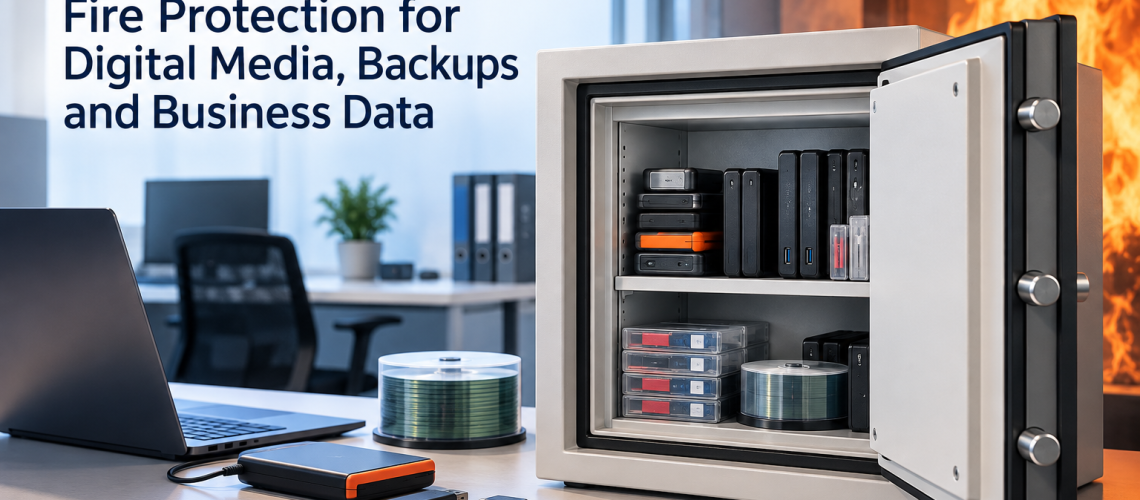
A data safe protects the physical media a business may need to recover after a fire. It gives external hard drives, USB drives, backup tapes and other removable media a designated place away from the equipment they back up. For a small UK business, that might be a set of encrypted drives rotated each week. For a manufacturer, it could include machine configurations, software licences and engineering files needed to restart production. The right choice depends on what the media contains, how it will be used and what the exact safe model was tested to protect.
Start with three decisions. Identify the media you need to store, find a safe with documented fire protection for that media, then check whether the safe fits the storage and recovery process. A long fire rating for paper tells you little about whether a particular drive or tape is covered. A large advertised capacity is equally unhelpful if the door aperture or the shelves cannot accommodate your cases.
Compare data safes for digital media and backups if you already know your media type and size. This guide explains how to turn those requirements into a specification you can use to compare models and arrange installation.
What is a data safe?
A data safe is an insulated safe designed to limit heat transfer to stored media during a fire. Depending on the design, it may have an insulated inner compartment, an additional inner door or seal, adjustable shelves and trays for tapes or drives. Check the model documentation to see which features are part of the tested configuration. Some safes protect paper as well as specific classes of media, with separate ratings for each.
A useful way to specify one is to work back from the recovery job. If the business needs to restore its accounts, find out what the accounts system actually needs to run again. That could mean a current database backup, software installation files, configuration settings and access to the encryption recovery key. Storing a drive securely solves the physical storage problem for that drive. You still need to know what is on it, how current it is and which equipment can read it.
For the differences between protection for paper and protection for removable media, see Data Safes vs Fire Safes. For a list of media and what to look for with each, see What Can You Store in a Data Safe?.
Identify what your business would need to recover
Decide which information matters first
Start with the services that would stop if the contents of your office, workshop or server room were lost. A wholesaler may need stock balances and open orders to ship goods. A practice may need access to appointments, contact details and records. A machine shop may need controller programs or calibration files before it can run a specific line again. A full restoration can take time, so identify what a colleague would need to retrieve first to get the most important service running.
Make a simple register with the data set, owner, storage medium, latest confirmed backup date and location of the separate copy. Record which drives or tapes are for routine recovery and which contain archives. For a removable device, use an asset reference that identifies the device without printing its contents or password on the label. Keep the register and essential recovery instructions available separately from the safe so they can still be found if the room is inaccessible.
Check what makes each copy usable
For a drive with a proprietary connector, plan where you will get the cable or adapter. For tapes, check which reader and software can restore them. For an encrypted drive, check who can obtain the recovery credentials if the usual administrator is absent. If a backup needs a particular version of an application or a configuration export, note those dependencies with the recovery instructions. Test the process on equipment appropriate to the recovery plan so that a successful backup notification is backed up by an actual restore.
Archives bring a different problem. A project record may still be readable when it goes into the safe, yet depend on a drive, reader or application that will be difficult to replace in several years. Include periodic readability checks and planned migration in the archive process. Assess which archives need continued access and which can be removed under the organisation’s retention policy. That keeps the cabinet available for media the business still needs.
Match the medium to its case and handling requirements
Measure the items in the cases they will occupy. A portable SSD can take little space on its own while a rugged drive enclosure, padded case or set of archive boxes may determine the shelf depth and door clearance. Count the media awaiting return as well as the devices normally in the safe. If IT staff exchange several devices at once, allow space to put an incoming set down without disturbing the known-good set already in storage.
For individual devices, check whether the manufacturer names them in the safe’s documentation. Words such as data, digital media, diskette and tape can refer to different test categories or claims. If a supplier cannot identify what supports a claim for your particular medium, request confirmation before treating the model as suitable. A list of comparable-looking drives on a sales page is less useful than a specification that names the product and states the protection offered.
Separate recovery media from the equipment that reads it
An old laptop may be the only device that runs a legacy application, but its physical dimensions and storage conditions differ from those of a loose drive. Decide whether the recovery plan needs the device itself, a disk image or an exported copy of its files. Ask your IT provider how that older environment can be recreated. If a spare reader, adapter or licence dongle is needed, record its location and check that replacements are still obtainable. Where equipment contains a battery or needs to be powered, check its storage requirements separately. Specify the safe around the media that will actually be placed inside it.
Read a data safe fire rating before comparing prices
A fire rating is meaningful when you can identify the standard, the test class, the stated duration and the exact model or compartment covered. The number of minutes is part of the classification. It describes performance under specified laboratory conditions. The duration of a building fire, heat exposure at a particular location, impact and water exposure depend on the incident and the installation.
The European Certification Body lists EN 1047-1 for data cabinets and diskette inserts and lists NT Fire 017 as a separate standard covering fire resistance for filing, data and diskette cabinets. Look up the actual class on the supplier’s documentation. Where two products cite different standards, compare the documented scope and your media type before treating a similar duration as equivalent. A test result, an independent certificate and a generic marketing description provide different levels of evidence. Ask which the supplier can provide for the model quoted. ECB•S certification guideline annex
| Detail to request | What to check in the quotation |
|---|---|
| Exact model and lock variant | The description, model suffix and specification sheet refer to the unit being supplied. |
| Fire standard and class | The quotation states the standard, test category and applicable contents. |
| Duration | The duration is stated for each class of contents you intend to store. |
| Protected compartment | The dimensions and rating refer to the relevant interior or insert. |
| Water and impact performance | Any water-resistance or impact claim has its own supporting information and test conditions. |
| Burglary resistance | Any certificate or grade required by your policy or insurer is documented separately. |
A mixed-use safe can have different ratings within the same model. Phoenix, for example, publishes separate claims for paper, data and digital media on its DS2501F specification. Comparing a paper duration from one product with a digital-media duration from another gives the buyer two answers to different questions. If you store both paper and media, document the rating you need for each and confirm where each type goes inside the unit. Phoenix DS2501F specification
Do the same for water exposure. A water-resistant seal, a claim for a specified test and a flood-resistance requirement need to be evaluated on their own terms. Ask for the exposure conditions and any limits behind the claim, particularly for a basement, a room with water services or a site with a history of water ingress. For further detail on class designations and published test times, see Data Safe Fire Ratings Explained.
Put the safe into the backup and recovery plan
A data safe works well as the designated storage point for a local removable copy. Someone can collect the right drive on a normal working day, update the backup, verify it, disconnect it and return it to a recorded position. The same process should work when the person who set it up is on leave. Give responsibility for the rotation to a named role, appoint a deputy and write down which check must be completed before a fresh copy is accepted.
A local copy can be valuable when recovery needs to start quickly and internet access or download speeds are limited. A separate copy gives the business another route when the building itself is inaccessible. The National Cyber Security Centre recommends keeping backups separate from primary systems and checking that they contain what you need and can be restored. Its guidance for small organisations also recommends disconnecting an external backup device when it is out of use. NCSC guidance on backing up your data
Make the rotation practical
Give each storage position a reference that matches the inventory. A short cross-check during handover can establish which device has just come back, which backup was verified and which copy can leave for a separate location. Keep enough spare space to receive an additional device during maintenance, a restore exercise or a supplier handover. An overcrowded safe makes it easier for someone to leave a current backup on a desk while moving cases around.
Agree how often to make and test a copy based on the data, the rate it changes and how much work the business could recreate. An accounts team closing the month may need a different backup point from a department holding reference material. A useful restore exercise starts with a specific task, such as opening a previous invoice batch or loading an equipment configuration. Record how long it took, what was missing and who can repeat the exercise.
Plan where the separate copy and recovery information live
Keep a recovery copy away from the site where the live system operates when the plan needs to cover loss of the whole building. Choose an appropriate secure off-site or cloud location, set access controls and confirm how the copy will be retrieved. A safe in another room can improve storage organisation within a site. Both rooms may still be unavailable during a serious incident, so document how the business would proceed from a different location.
Encryption helps protect the contents if portable media leaves the site or goes missing. Decide how authorised staff can recover an encrypted backup during an outage, with controls suited to the information involved. Keeping the only credentials or instructions in the same room as the backup makes the restoration dependent on access to that room. For practical examples of organising local copies, see Data Safes for Business Backup Storage.
Choose a capacity based on usable dimensions
Measure the shelf, the aperture and the loaded unit
Measure the largest loaded case in millimetres, including handles, closures and any protective packaging. Compare that with the clear width and height of the opening as well as the available space on the shelf or in the tray. Deep shelves add capacity only if staff can still locate the correct case, lift it safely and close the inner door properly. On a unit with pull-out trays, check that there is enough clearance to extend the tray at the intended location.
Plan the most frequently used positions first. A weekly exchange set should be easy to retrieve without removing the retained archive set. If you use labels or dividers, allow space for someone to see the device reference and take it out without catching cables or straps. Use the manufacturer’s shelf and tray load limits where available. Ask the supplier to confirm any internal fittings on the quote when these determine how many cases will fit.
Allow room for a real change in volume
Estimate what will change over the life of the safe. A second site may start sending backup media, a department may add a weekly protected copy or your retention policy may reduce the set. Know which scenario is plausible before paying for extra capacity. If different departments use the same unit, consider whether separate trays, a separate cabinet or a documented position plan make sense for their access and handling requirements.
It is worth laying out the intended shelves on paper before ordering. Put the largest case and any archive boxes into the sketch first, then add the current working sets and a spare position. Check the outside dimensions and loaded weight separately. A cabinet can meet the internal space requirement while creating a delivery or floor-loading problem that only appears once a carrier reaches the site. See What Size Data Safe Do I Need? for a more detailed capacity check.
Compare data safe formats for UK premises
Total Locker Service supplies models from the Phoenix DataCare, Data Combi and Data Commander ranges. These give buyers different starting points for shelf space, access and the type of storage needed. Model numbers matter because capacity, locking, published fire protection and fittings can vary within a range. Ask for the current specification sheet for the model on your quotation.
| Typical requirement | Range to compare | Main specification check |
|---|---|---|
| A small collection of drives, tapes or removable backup media | Phoenix DataCare DS2000 series | Confirm media coverage, shelf dimensions and room for the rotation set. |
| Paper records and removable media in one unit | Phoenix Data Combi DS2500 series | Compare the separate protection ratings and usable space for each type of contents. |
| Larger rotations or substantial media archives | Phoenix Data Commander DS4620 series | Check tray layout, loaded weight, access route and the model’s documented media rating. |
A two-drive rotation in an office can often be planned around a compact cabinet and a simple issue log. A larger business retaining several independent backup sets may need adjustable shelves or pull-out trays so each set has a clear position. For example, Phoenix lists adjustable shelves and media trays on its DS4621K. Check the configuration of the actual unit offered before allocating archive capacity in the recovery plan. Phoenix DS4621K specification
Ask for a comparable total price when seeking quotations. Include the selected lock, any extra trays, delivery to the intended position and any manufacturer-approved installation work. Put the address and relevant dimensions on the request because a delivery to a ground-floor goods entrance can differ materially from placement in a restricted or upper-floor room. Product selection is easier when you compare the whole installation and the way people will use it.
Choose the lock and decide who controls access
A keyed safe suits a stable group of authorised users when the business can securely issue, recover and hold spare keys. Agree who has access, where the spare is held and what the process is when a key is lost. An electronic lock may suit a team that changes more often. Check whether the quoted model has individual codes, how the administrator changes or removes them and what happens when the battery runs low. Ask for any required emergency access instructions and store them securely.
Check what your procedures require from the lock and what the model actually records. A departmental sign-out book can record which device has moved and the reason it was taken. If your policy requires an electronic audit trail for openings, confirm the specific lock supports it and how records can be retrieved. For shared storage, decide who owns the inventory and who is permitted to remove or return media as well as who can open the door.
If theft resistance or insurer approval is part of the requirement, give the insurer or security lead the exact model, intended contents, installation details and documented burglary rating where applicable. Keep their response with the purchase record. A media fire classification measures a different property from burglary resistance. Securing sensitive data also depends on the media’s encryption, access controls and how it is handled during transport.
Plan delivery, positioning and installation
Confirm the route to the final room
Give the supplier the narrowest doorway, corridor turns, thresholds, gradients, steps and lift details. Measure with the door in its normal open position and note obstructions such as door closers or existing furniture. Ask whether the quoted measurements include hinges, handles and any packaging likely to remain in place during the move. For a large unit, arrange a suitable survey where the access information is incomplete or there is doubt about the floor, lift or route.
Confirm where the delivery ends. If the safe must be placed in a specific room, have that positioning included in the quote. A heavy cabinet delivered to the entrance creates a separate handling job when the safe is required two floors up. Where relocation is likely later, keep a record of the route, safe weight and supplier instructions so a future move can be planned with the correct equipment and help.
Check the floor, room and door clearances
Confirm the position can support the unit and its contents, with professional assessment where the loading is uncertain. Use the manufacturer’s installation instructions for any permitted fixings and discuss them with the installer. Avoid unapproved holes or modifications to the cabinet because they can affect its tested construction. If a landlord, insurer or site manager requires particular fixings, resolve that with the supplier before purchase.
Position the cabinet where staff can use it routinely with the door and inner compartment fully open. Take account of room access, nearby heat sources, water services and local site conditions. Think about who can reach the room during an access-control failure or following an incident. The recovery plan should state where an alternative copy can be retrieved if the building remains closed.
Test the handover on installation day
Have an authorised colleague open and close the lock, check the door and insert, test any agreed user codes and place an actual media case on the intended shelf. Record the serial number, model and lock details in the asset register. Keep the specifications, key or code handover record, and warranty or service details in the appropriate place. Assign a contact for problems with seals, hinges or locks and follow the manufacturer’s service instructions.
Worked examples
Office with a weekly drive rotation
An accountancy office rotates encrypted external drives and keeps one separate copy away from the premises. Its local safe needs space for the current set, the returning set and the labelled cases they travel in. The office manager measures the cases and asks the supplier for the exact digital-media rating. The IT provider confirms how to restore the practice application from a drive and checks that the deputy can access the recovery credentials. That makes the purchase requirement specific enough to compare compact cabinets without guessing from the litre capacity.
Manufacturer protecting equipment configurations
A manufacturer stores protected copies of machine settings and production drawings as well as a routine office backup. A small USB drive holds an engineering export, while older equipment requires software and a specified adapter for a restore. Engineering and office staff have different recovery responsibilities. They can define a position for each set, document custody and keep the necessary readers and instructions available separately. Safe capacity is based on all the cases expected on site at once. The recovery test focuses on restoring a known configuration to suitable test equipment.
Multi-site business holding paper and digital records
A facilities operator keeps signed paper documents and encrypted digital exports. The buyer lists the required protection for each class of contents, then compares a combined unit with the space and access arrangements for two units. One combined unit may fit the room and simplify oversight. Different retention cycles or permissions may favour separate storage. An allocation by shelf or safe makes it clear who may retrieve each set, and a separate recovery copy remains available if the premises cannot be accessed.
Questions to ask before you order
- What are the exact media types and maximum dimensions, including cases?
- Which published standard, class and duration cover those media in this model?
- Where are the rated compartment and usable shelves or trays?
- Who needs access, and how will keys, codes, media movements and recovery credentials be managed?
- Does the plan require a separate water or burglary specification?
- Can the delivery team reach the final position, and is the floor suitable?
- Who keeps the instructions, and when will the first restore test take place?
Send the answers you already have with your enquiry. For mixed contents, give separate quantities for paper and media. For a larger cabinet, include the smallest entrance and any stairs, lifts or thresholds. These details help the supplier rule out unsuitable models early and compare the remaining ones against the actual job.
Data safe FAQs
Can I put an external SSD or USB drive in a fire safe?
Choose a model with documented protection for the kind of device you intend to store. If the documentation gives a paper rating, ask for evidence covering the specific form of digital media before relying on it. A small drive often fits easily inside a protected compartment, so the more important questions are what the test covers and whether the business has another copy. See Can You Store USB Drives in a Fire Safe?.
How long a fire rating should I choose?
Use your site risk assessment, the importance of the local copy and the time-critical nature of recovery to set the requirement. Compare durations only after checking the media classification and evidence for the exact model. Longer tested protection can be attractive where suitable products are available, but it also needs to work with the space, load and budget for the installation.
Can one safe protect documents and backups?
Yes, where the model has documented ratings for both classes and enough usable space for each. Look at the documentation for separate claims, and confirm whether the protection depends on a particular compartment or insert. If staff need different access to paper and media, factor that into the layout or consider separate cabinets.
What should I do if a safe has been exposed to fire?
Follow site safety instructions and wait until the responsible authority or site manager confirms access. Contact the manufacturer, insurer or recovery specialist about the safe and media. For damaged or wet devices, seek professional recovery advice before attempting to power them up. If the business has a separate confirmed backup, use the recovery plan to establish which copy is appropriate to restore from.
When should we review our data safe?
Review it when you switch media, add a backup set, change location or update who needs access. Include the condition of the door, lock, seals and internal fittings in routine checks and follow the manufacturer’s service advice. Use a restore exercise to spot equipment and credential dependencies that an inventory inspection alone would miss.
Choose a data safe for your recovery plan
The right model covers the media you use, fits the loaded cases you will store and can be delivered and operated at the intended site. Start with your inventory and the documented fire classification. Then compare the protected dimensions, access method and delivery requirements. A routine that puts the correct copy back in the safe after verification gives the business a known starting point when it needs to recover.
View the Total Locker Service data safe range or contact Total Locker Service with your media types, case dimensions and installation postcode for help selecting a suitable model.
Discover more from Blog Total Locker Service
Subscribe to get the latest posts sent to your email.