Best Lock Types for Charging Lockers
April 16, 2026
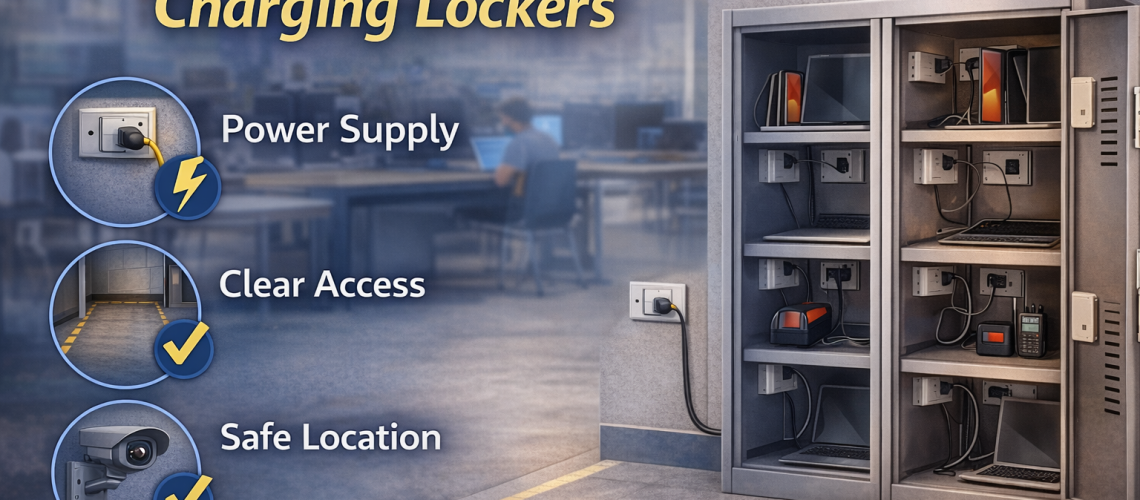
The best lock type for a charging locker depends on who uses the compartment, whether access is shared or assigned, how often the door is opened and how much key, code or credential administration the site wants to manage. There is no single lock type that is automatically best for every charging locker.
This guide focuses specifically on charging locker lock types: key locks, hasp and padlock fittings, mechanical combination locks, digital keypad locks, RFID/contactless locks and simple cam locks. It also explains lost-key and forgotten-code administration, shared versus assigned access, high-turnover use and practical examples for schools, offices and shift-based workplaces.
For the wider charging-locker buying process, use our Charging Lockers UK guide. For general locker locking systems beyond charging applications, see Locker Locking Systems: Keys, Codes and Smart Access.
Quick Answer: Which Lock Type Should I Choose for a Charging Locker?
| Situation | Usually consider | Why |
|---|---|---|
| Named employee with a fixed compartment | Key or code lock | Access is predictable and tied to one user |
| Shared tablet bank | Mechanical or digital code lock | Avoids distributing large numbers of physical keys |
| High user turnover | Digital keypad or RFID/contactless | Access can be managed without reissuing keys |
| Existing staff card or fob system | RFID/contactless | May fit the site’s existing credential routine |
| Simple low-cost assigned use | Key lock | Familiar and easy to understand |
| User supplies their own padlock | Hasp fitting | Keeps the locker hardware simple |
| Small personal charging compartment | Cam/key lock | Simple access can be sufficient |
| Shift-issued shared equipment | Digital code or RFID/contactless, depending on management | Reduces key handling where users change by shift |
The table is a starting point, not a universal rule. The right choice still depends on the exact charging locker, the value of the devices, access frequency, user turnover and how override access will be managed.
What Matters Most When Choosing a Charging Locker Lock?
Lock choice should follow the daily access routine. Security matters, but a lock that creates constant lost-key incidents, reset requests or queues can make the charging system difficult to manage.
- Shared or assigned access: does one person keep the same compartment or do users change?
- Frequency of access: is the locker opened twice a day or repeatedly through a shift?
- User turnover: are the same employees using it for years or do users change constantly?
- Administration: who manages keys, codes, override access or credentials?
- Device value: is the compartment holding a personal phone, a laptop or operational equipment?
- Existing systems: does the site already issue cards, fobs or access credentials?
- Budget: is a basic reliable lock enough, or does the workflow justify a more managed system?
If the project has not yet decided whether compartments should be shared or assigned, use our Shared vs Assigned Charging Lockers guide. This article assumes that decision is either known or being used as one factor in lock selection.
Key Locks for Charging Lockers
Key locks are one of the simplest charging-locker options. They are familiar, easy to explain and can work very well where the same user is responsible for the same compartment.
They are particularly suitable where:
- compartments are permanently assigned;
- the number of users is relatively stable;
- users can reasonably be expected to keep track of a key;
- a supervisor or administrator can manage spare or master access where the product supports it;
- the site values simplicity over advanced access features.
Advantages of Key Locks
- familiar to most users;
- easy to operate;
- well suited to assigned compartments;
- little user training required;
- often less expensive than electronic access options.
Drawbacks of Key Locks
- keys can be lost or damaged;
- replacement-key requests create administration;
- keys must be recovered when users leave;
- large shared systems can become difficult to manage;
- poor key records can undermine otherwise simple access control.
Key locks are therefore strongest where allocation is fixed and the site already has a sensible key-management process.
Simple Cam Locks and Quarter-Turn Key Locks
Compact charging compartments, particularly smaller personal-device units, may use simple cam-style key locks or similar quarter-turn mechanisms.
They suit applications where the access requirement is straightforward and the site does not need codes, cards or electronic management. Their simplicity can be an advantage where users only need secure personal access to a small compartment.
The important point is to judge the lock against the actual device and use case. A basic cam lock may be perfectly appropriate for a small personal charging compartment but less suitable where the site expects intensive shared use or more structured access control.
Hasp and Padlock Fittings
A hasp fitting allows the user to secure the charging compartment with a padlock rather than relying on a built-in key or code lock.
This can make sense where:
- users already carry their own padlocks;
- the organisation deliberately wants users to provide the locking device;
- the application is relatively simple;
- the site wants to minimise built-in lock administration.
Advantages of Hasp Fittings
- simple locker hardware;
- users can control their own padlock;
- no site-issued key or code may be required;
- padlocks can be replaced independently of the locker mechanism.
Drawbacks of Hasp Fittings
- padlock quality can vary;
- users still need to carry a key or remember a padlock combination;
- shared or high-turnover access can become awkward;
- the appearance may be less integrated than a built-in lock;
- the site may have less control over the locking device itself.
A hasp is not inherently wrong for a charging locker. It is simply most useful where user-supplied padlocks fit the operating model.
Mechanical Combination Locks
Mechanical combination locks remove the need for a physical key. Users open the compartment with a code, while the lock itself normally requires no battery or electronic credential system.
They can suit both assigned and some shared charging applications where the site wants keyless access without moving to a fully electronic system.
Advantages of Mechanical Combination Locks
- no physical key to issue or lose;
- no electronic lock battery to manage;
- neat built-in appearance;
- can work well for fixed users;
- can also suit controlled shared use depending on the specific lock design.
Drawbacks of Mechanical Combination Locks
- users can forget codes;
- codes can be shared with other people;
- resetting or recovering access may require administrator intervention;
- frequent user changes can create code-management work;
- the available override method depends on the lock model.
Mechanical combination locks are a strong option where the site wants to remove physical-key handling but does not need card credentials or more advanced electronic administration.
Digital Keypad Locks
Digital keypad locks provide code-based access through an electronic lock. Depending on the specific product, they may offer easier code changes, different operating modes or administrator functions compared with a purely mechanical combination lock.
They can be useful where:
- users change frequently;
- the site wants to avoid issuing physical keys;
- codes need to be reset or changed more often;
- shared compartments form part of the operating model;
- administrators are comfortable managing the electronic lock system.
Advantages of Digital Keypad Locks
- no conventional key handling for normal user access;
- codes can often be changed more readily than mechanical arrangements;
- can suit assigned or shared workflows depending on the lock mode;
- useful where access changes regularly;
- can reduce the number of replacement-key requests.
Drawbacks of Digital Keypad Locks
- users can still forget codes;
- administrator procedures must be understood;
- electronic locks may require battery maintenance;
- higher purchase cost than simpler locking options is common;
- features vary considerably between lock models.
A digital keypad lock is worth paying for when its management features solve a real access problem. If the same person uses the same compartment every day and a basic key works well, the additional complexity may not add much value.
RFID and Contactless Locks
RFID or contactless locker locks allow access using a compatible card, fob, token or other supported credential. They can be particularly useful where the organisation already has an established credential system or where carrying an additional locker key would be undesirable.
They are most relevant where:
- staff or students already carry compatible credentials;
- the site manages a large number of users;
- access changes regularly;
- the charging lockers form part of a broader managed environment;
- the organisation is prepared to administer credential access.
Advantages of RFID and Contactless Locks
- quick user access;
- no traditional locker key for the user to carry;
- can fit well with existing card or fob routines;
- useful in larger managed environments;
- can reduce reliance on remembered PINs.
Drawbacks of RFID and Contactless Locks
- higher cost than basic key or hasp options is common;
- credentials must still be issued, replaced and administered;
- compatibility with an existing card or fob system must be confirmed;
- some smaller sites do not need this level of access management;
- electronic lock maintenance and administrator procedures still need ownership.
RFID is therefore most compelling when the site already has a clear reason to manage access by credential. It should not be selected simply because it is more technologically advanced.
Lost Keys vs Forgotten Codes: Which Creates More Administration?
Every access method creates a management task somewhere. The useful question is which task best fits your organisation.
| Issue | Key lock | Code lock | RFID/contactless |
|---|---|---|---|
| User loses access method | Replacement or spare key may be required | Code recovery or reset may be required | Credential replacement or reauthorisation may be required |
| User leaves organisation | Key should be recovered | Code may need changing | Credential access may need removing |
| Shared use | Key handover can become cumbersome | Can work well if the lock mode supports shared use | Can work well where credentials are actively managed |
| Administrator knowledge | Key records and spare access | Reset and override procedure | Credential and override procedure |
A key lock is not automatically more administrative than a digital lock, and a digital lock is not automatically easier. The difference is whether the organisation is better at managing physical keys, codes or credentials.
Check Reset and Override Administration Before Ordering
Before choosing a lock, ask what happens when normal user access fails.
- Can an authorised person gain emergency or management access?
- Is there a master key, override key, administrator code or compatible credential?
- Who is allowed to use it?
- How are spare or override items stored?
- How is a forgotten code reset?
- What happens when an employee leaves?
- Can the lock be returned to service without replacing the whole door or lock?
The exact answers depend on the lock model. Confirm the manufacturer’s management and override method rather than assuming that all key, digital or RFID locks work the same way.
Match the Lock to Access Frequency
A compartment opened twice a day has different operational demands from one used repeatedly across a busy shift.
For low-frequency assigned use, a simple key or mechanical code lock may be entirely adequate. For frequent shared access, reducing key handovers can become much more valuable, which may justify a digital or credential-based system.
The more often users interact with the lock, the more important speed, clarity and recovery from mistakes become.
Shared vs Assigned Charging Access
Shared and assigned use strongly influence lock choice, but they should not dominate this page because the allocation decision has its own guide.
As a simple rule of thumb:
- Assigned compartment: key, mechanical combination or digital code can all work well.
- Shared compartment with changing users: digital code, mechanical shared-use code or RFID/contactless may reduce physical key handling.
- Mixed system: different lock approaches may be appropriate for different user groups or locker banks.
For the full allocation decision, see Shared vs Assigned Charging Lockers.
Charging Locker Lock Example: Schools
For a centrally managed tablet or Chromebook bank, schools often want to minimise individual key handling. A mechanical or digital code system may suit a staff-managed or shared arrangement, while RFID/contactless can make sense where compatible credentials are already part of the school’s access setup.
For teacher or staff charging compartments that remain assigned, a straightforward key or code lock may be simpler.
The priority should be consistent supervision and manageable administration rather than choosing the most advanced lock available.
Charging Locker Lock Example: Offices and Hybrid Workplaces
An office with fixed staff charging compartments can use conventional keys or codes effectively. A hybrid office with loan laptops and changing users may benefit more from digital or credential-based access because physical key handovers can become awkward.
Where staff already carry compatible building credentials, RFID/contactless may reduce the need for another access item. Where the locker bank is small and users are fixed, that additional system may be unnecessary.
Charging Locker Lock Example: Shift-Based Equipment
Warehouses, maintenance teams and operational sites may use charging lockers for radios, scanners, handheld terminals or other equipment issued by shift.
If the same worker or role keeps the same compartment, a key or code may be sufficient. If equipment is pooled and users change every shift, digital code or RFID/contactless access may reduce the need to hand physical keys between teams.
The best choice depends on whether the site manages access by person, team, role or equipment pool.
When a More Sophisticated Lock Is Unnecessary
Electronic access is not automatically better.
A simple key or mechanical lock may be the better specification where:
- the same users keep the same compartments;
- user turnover is low;
- the organisation already manages keys effectively;
- access is infrequent;
- there is no need for card credentials or repeated code changes;
- the additional cost and administration of an electronic system would add little practical value.
Good specification means choosing enough functionality for the workflow without paying for management features the site will not use.
When More Managed Access May Be Worthwhile
Digital or credential-based locks become more attractive where:
- user turnover is high;
- many compartments are shared;
- the site already uses cards or fobs;
- physical key distribution is a persistent problem;
- codes or credentials need to change regularly;
- the organisation has people and procedures to manage the system.
The deciding factor should be operational value rather than appearance or technology alone.
Questions to Ask Before Choosing a Charging Locker Lock
- Is the compartment shared or assigned?
- Who is responsible for the device?
- How many users need access?
- How often is the compartment opened?
- How frequently do users change?
- Would lost keys create a significant management burden?
- Would forgotten codes create a greater burden instead?
- Does the site already issue cards or fobs?
- What override or administrator access is required?
- Who will control master keys, codes or credentials?
- Does the lock require battery maintenance?
- What happens when a user leaves?
- Can the lock be reset or reallocated easily?
- Does the workflow genuinely justify a more sophisticated lock?
Charging Locker Lock Selection Table
| Requirement | Key | Hasp/padlock | Mechanical code | Digital keypad | RFID/contactless |
|---|---|---|---|---|---|
| Fixed assigned user | Strong fit | Possible | Strong fit | Strong fit | Possible |
| Changing shared users | Can create key admin | Usually awkward | Possible depending on lock mode | Strong fit | Strong fit where credentials are managed |
| Very simple administration | Strong if key control is good | Strong where users supply padlocks | Moderate | Requires electronic management | Requires credential management |
| No physical key for normal access | No | Depends on padlock | Yes | Yes | Yes |
| Existing card/fob ecosystem | No particular advantage | No particular advantage | No particular advantage | No particular advantage | Potentially strong fit |
| Low-cost basic access | Often suitable | Often suitable | Depends on specification | Usually higher cost | Usually higher cost |
Use the Right Guide for the Next Question
| Question | Dedicated page |
|---|---|
| Should compartments be shared or assigned? | Shared vs Assigned Charging Lockers |
| What locker locking systems exist generally? | Locker Locking Systems: Keys, Codes and Smart Access |
| I need commercial locker-lock options | Locker Locks |
| How does a charging locker work? | How Charging Lockers Work |
| How do school and workplace charging requirements differ? | Charging Lockers for Schools vs Workplaces |
| I need the main charging-locker buying guide | Charging Lockers UK Guide |
Charging Locker Lock Types FAQs
What is the best lock type for a charging locker?
There is no single best lock for every charging locker. Key locks suit many fixed assigned users, while code or RFID/contactless locks can be more practical where users change frequently or compartments are shared.
Are key locks suitable for charging lockers?
Yes. Key locks can work very well where a compartment is assigned to one person or where a small number of authorised users are responsible for the equipment. The main consideration is how lost, spare and returned keys will be managed.
Are combination locks better than keys for shared charging lockers?
They can be more convenient where users change frequently because no physical key needs to be handed between users. However, codes still need to be managed, reset and kept confidential where appropriate.
When should I choose a digital keypad lock?
A digital keypad lock can be useful where users change regularly, codes need to be altered frequently or the site wants to avoid conventional key handling. Check the exact lock’s operating modes, administrator functions and battery requirements.
When does RFID make sense on a charging locker?
RFID or contactless access is most attractive where the organisation already manages compatible cards, fobs or other credentials, or where a large changing user population makes traditional key handling inefficient.
Can users put their own padlock on a charging locker?
Yes, where the charging locker is supplied with a suitable hasp fitting. This can suit simple applications where users already carry padlocks, although it is less convenient for some shared or high-turnover systems.
What happens if someone forgets a charging locker code?
The recovery method depends on the lock model. Before ordering, confirm how authorised administrators reset codes or gain override access and who will be responsible for that process.
Do digital charging locker locks need batteries?
Many electronic locker locks use batteries, but designs vary. Check the specification of the actual lock and include any battery replacement or maintenance requirement in the site’s management plan.
Which charging locker lock is best for schools?
The best choice depends on who controls the devices. Shared pupil equipment may benefit from code or credential-based access, while assigned staff compartments can work well with simpler key or code locks.
Which charging locker lock is best for shift workers?
Where different users access shared equipment on each shift, digital code or RFID/contactless systems can reduce physical key handovers. Where equipment is tied to a fixed worker or role, a key or code lock may be sufficient.
Which Charging Locker Lock Should You Choose?
Choose the lock around the access workflow rather than technology alone.
Key and simple cam locks remain practical where compartments are assigned and users are stable. Hasp fittings suit applications where users provide their own padlocks. Mechanical combination locks remove physical keys without introducing electronic management. Digital keypad locks become useful where codes need to change more often. RFID/contactless access is most valuable where credentials are already managed or where changing users make key handling inefficient.
The right lock is the one that provides appropriate security while keeping lost keys, forgotten codes, override access and daily administration manageable for the organisation.
To compare charging-locker products, browse our charging locker range. For replacement, retrofit and general locker-lock options, visit Locker Locks.
Discover more from Blog Total Locker Service
Subscribe to get the latest posts sent to your email.