Locker Electronic Locks UK: Digital & Smart Locker Locks Guide
May 7, 2026
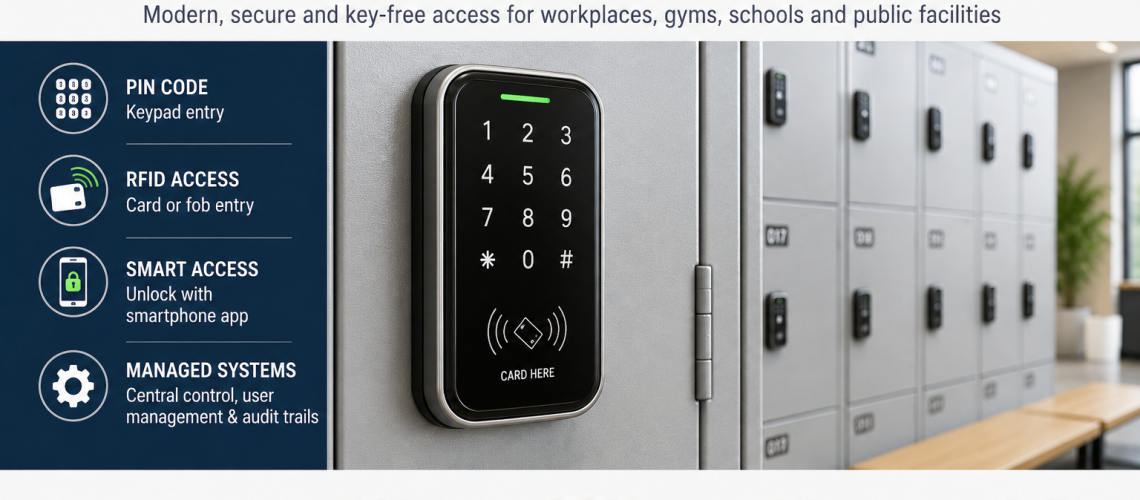
Digital locker locks can be powered locally by batteries or supplied from fixed electrical infrastructure. That power architecture affects installation, servicing, fault scope, emergency access, future expansion and how easily an existing locker bank can be upgraded or moved.
This guide owns the battery-powered versus hardwired locker-lock architecture. It does not decide whether a site should use PIN, RFID or another access method, and it does not own smart locker software, central permissions or the internal hardware faults of an individual electronic lock.
Digital Locker Locks = how electronic locker locks are powered and supported. Electronic Locks = how the individual lock works. Smart Locker Systems = software, communications and central management.
Quick Answer: Battery-Powered or Hardwired Locker Locks?
Battery-powered locks keep power local to each locker and usually avoid running fixed electrical cabling to every door. Hardwired systems use a fixed power supply and may distribute power through locker banks, controllers or another designed infrastructure.
| Architecture | Main characteristic | Main planning question |
|---|---|---|
| Battery-powered | Each lock carries its own local power source | How will batteries be monitored, replaced and accessed? |
| Hardwired | Locks depend on fixed electrical supply and distribution | How will power, cabling, controllers and fault recovery be designed? |
Neither architecture is automatically better. The correct choice depends on the locker installation, disruption tolerance, maintenance capability, required resilience and wider building infrastructure.
What This Page Owns, and What It Hands Off
- Battery-powered versus hardwired power architecture: this page
- Battery replacement access and power servicing: this page
- Power-failure scope and resilience: this page
- Cabling through locker banks and fixed power distribution: this page
- Commissioning the power architecture: this page
- Individual electronic lock hardware, keypad, actuator and override: Electronic Locker Locks UK
- RFID credential and reader interaction: RFID Locker Locks UK
- Smart software, networking, dashboards and central management: Smart Locker Systems UK
- Whether electronic access is the right technology: Locker Access Control Systems UK
- Physical conversion of existing lockers: Retrofit Locker Locks UK
- Changing the access method: Locker Lock Upgrade Guide UK
- Wider building and estate services: Locker Infrastructure Systems UK
Battery-Powered Digital Locker Locks
Battery-powered digital locks carry their operating power at the locker door or within the lock assembly. The exact battery type, capacity and replacement method depend on the product.
At architecture level, battery power means that one lock can often operate independently of the neighbouring lockers.
- No fixed electrical supply normally needs to be routed to every lock.
- A fault in one battery-powered lock can remain local to that locker.
- Installation can avoid much of the electrical cabling associated with a hardwired design.
- Battery replacement becomes a recurring maintenance task.
- Battery access must remain possible after the locker is installed.
What Battery Power Changes Operationally
Choosing a battery-powered lock moves part of the system’s ongoing support requirement from fixed electrical infrastructure to distributed maintenance.
- Each lock has a battery state that may need checking.
- Replacement batteries need to be stocked.
- Maintenance staff need access to the battery compartment.
- Low-battery warnings need a defined response.
- Dead-battery recovery needs to be understood before deployment.
- Different lock models can create different battery types and replacement routines.
Battery-powered does not mean maintenance-free. It means the power-maintenance burden is distributed across the locks rather than concentrated in fixed power infrastructure.
Battery Replacement Access
Battery access is an architectural issue, not only a lock-maintenance detail.
Before approving a lock, establish:
- where the batteries are located;
- whether the locker must be open before the compartment can be reached;
- whether the locker door or lock must be removed;
- whether nearby shelves or dividers obstruct access;
- whether battery replacement can be completed with the locker in service;
- and whether access will remain practical once banks are installed against walls or other furniture.
Low-Battery Warning Strategy
Individual lock models may provide audible, visual or other low-battery warnings. This page does not define the warning behaviour of a specific product, but the architecture should include a response to it.
- Who notices the warning?
- Who records the affected locker?
- How quickly is the battery replaced?
- Are suitable batteries held on site?
- What happens if the warning is missed?
For lock-level behaviour and dead-battery override, use Electronic Locker Locks UK.
Battery Failure Scope
One advantage of distributed battery power is fault isolation. If each lock is genuinely independent, one exhausted battery may affect one locker rather than a complete bank.
However, do not assume independence without checking the product architecture. Some systems combine local batteries with shared communications, controllers or software, so a power fault and a management-system fault may have different scopes.
Hardwired Digital Locker Lock Architecture
Hardwired locker systems take power from a fixed electrical supply rather than relying on a service battery at every lock.
The exact design can vary considerably. Power may be distributed through:
- a local power supply for one locker bank;
- shared controllers;
- power-distribution modules;
- structured cabling;
- or another manufacturer-specific system architecture.
Hardwired power therefore needs to be considered as part of the locker installation, not simply as a different lock model.
Hardwired Power Distribution
A hardwired system needs a defined route from the building supply to the lockers and then from the local distribution point to the individual locks or controllers.
- Where is the local power supply located?
- How does power reach each locker bank?
- How are cables protected from users and stored items?
- Can modules be reached for servicing?
- How are cables routed across joins between locker units?
- What happens if a locker bank needs to be moved?
- What spare capacity exists for later expansion?
Wider building services, network infrastructure and estate integration belong in Locker Infrastructure Systems UK.
Cabling Through Locker Banks
Hardwired systems need safe, serviceable cable routes through or around the locker construction.
- Protect cables from sharp metal edges.
- Avoid routes where stored items can snag or crush wiring.
- Allow doors and hinges to move without stressing cables.
- Keep connectors accessible where servicing is expected.
- Plan how one locker unit disconnects from the next where modular banks may later move.
- Document concealed routes before the installation is handed over.
Hardwired Failure Scope
Fixed power can reduce routine battery replacement at individual locks, but a shared supply can create a wider failure domain.
| Possible fault | Potential scope |
|---|---|
| Individual lock hardware failure | One locker |
| Local branch connection failure | One lock or part of a bank |
| Controller failure | All lockers depending on that controller |
| Local power-supply failure | All locks fed by that supply |
| Building power interruption | Potentially multiple locker banks depending on design and backup |
The actual fault scope is product-specific. Map dependencies before installation so staff know which component can affect which lockers.
Power Failure and Resilience
A hardwired design should define what happens if fixed power is unavailable.
- Do locks remain in their last secure state?
- What authorised emergency access exists?
- Is backup power provided at any controller or supply level?
- How long is any backup intended to support the system?
- Which components depend on the same backup source?
- How is normal operation restored after power returns?
Those answers depend on the selected equipment and design. They should be confirmed during specification and commissioning rather than assumed from the word “hardwired”.
Hardwired Does Not Automatically Mean Networked or Smart
Fixed power and smart management are separate design choices.
- A hardwired lock can receive fixed power without providing central software.
- A battery-powered lock can still use local electronic credentials or other digital features.
- A smart system may add communications, software and central management regardless of how individual locks are powered.
Use Smart Locker Systems UK when the requirement moves into networking, dashboards, allocation, remote management or system integration.
Battery-Powered vs Hardwired: Architecture Comparison
| Factor | Battery-powered | Hardwired |
|---|---|---|
| Power source | Local battery at each lock | Fixed electrical supply |
| Wiring to locker doors | Normally not required for power | Required according to system design |
| Recurring power maintenance | Battery inspection and replacement | Power supply, controllers and distribution need servicing |
| Typical local fault isolation | Can remain at one lock | Depends on shared power and controller layout |
| Retrofit disruption | Can be lower where fixed power is absent | Can require new power and cable routes |
| Moving locker banks | Power architecture can be more self-contained | Power and cable connections may need alteration |
| Expansion | Add locks plus battery-maintenance load | Check spare power, controller and cabling capacity |
| Dead-power recovery | Lock-specific battery / emergency procedure | System-specific power / backup / override procedure |
Retrofit Projects
Existing locker banks often have no electrical infrastructure because they were originally designed for keyed, hasp or mechanical combination locks.
Battery-powered electronic locks can reduce the need for new power cabling, but that does not prove they will physically fit the locker. Door preparation, cut-outs, fixing positions, cam or latch geometry and rear clearance still need to be checked.
Use Retrofit Locker Locks UK for the physical adaptation layer and Locker Lock Upgrade Guide UK for the wider access-method change.
New Locker Installations
A new installation provides the opportunity to consider power requirements before lockers are fixed in position.
- Where will power supplies or controllers be mounted?
- How will they be serviced?
- Where will cables enter each locker bank?
- Is there spare capacity for future lockers?
- Can locker banks be removed without damaging permanent building wiring?
- Are power isolation and maintenance responsibilities clear?
Do not assume that a new build requires a hardwired system. A new installation simply gives more freedom to design either architecture properly.
Adding More Lockers Later
Future expansion should be considered before the first installation is complete.
For battery-powered locks, expansion may mainly add:
- more battery-powered locks;
- more spare-battery stock;
- more inspection points;
- and more maintenance records.
For hardwired systems, expansion may also require:
- additional power capacity;
- additional controller capacity;
- new cable routes;
- additional connection points;
- and changes to distribution modules.
Moving Locker Banks
Locker layouts change. A power architecture that works on day one should not make future moves unnecessarily difficult.
- Battery-powered banks may be less dependent on fixed building connections.
- Hardwired banks need documented disconnection and reconnection points.
- Hidden cables should be identified before lockers are moved.
- Any controller or power-supply relationship should remain clear after reconfiguration.
Servicing and Access
Both architectures require service access, but the access points differ.
| Battery-powered | Hardwired |
|---|---|
| Battery compartment | Power supply |
| Local lock electronics | Controller or distribution module |
| Emergency-power point where supported | Cable connections |
| Mechanical override where fitted | Isolation / backup components where fitted |
Do not bury service components behind inaccessible locker banks or permanent finishes without a planned access method.
Spare Batteries vs Electrical Support
The support model changes with the architecture.
- Battery-powered: maintain correct battery stock, replacement instructions and access tools.
- Hardwired: maintain documentation for power supplies, controllers, cable routes, isolation and any backup arrangement.
The lowest-maintenance architecture is therefore site-specific. One organisation may find distributed battery replacement simple, while another may prefer fixed power because its facilities team already supports electrical infrastructure.
Commissioning Battery-Powered Locker Locks
- Confirm the correct battery type is fitted.
- Confirm the lock powers up normally.
- Check low-battery and emergency procedures from the product documentation.
- Confirm user and management access.
- Check battery-compartment access.
- Record the lock model and battery type.
- Test the door repeatedly in normal operation.
Commissioning Hardwired Locker Locks
- Confirm the designed supply and controller arrangement.
- Check every lock receives power.
- Test each branch or locker bank.
- Confirm cable routes and connectors are protected.
- Test authorised access at every representative lock type.
- Test the documented power-failure and recovery procedure where appropriate.
- Label or document serviceable power and controller components.
- Retain installation information for future maintenance and expansion.
Failure Isolation Should Be Designed, Not Assumed
A useful locker power design makes it clear whether a fault affects one locker, one bank, one controller group or a wider estate.
Before handover, document:
- which lockers share a power supply;
- which lockers share a controller;
- which components can be replaced without shutting down neighbouring lockers;
- and what emergency access remains available during each likely fault.
Do Not Choose the Architecture from Site Size Alone
A small site does not automatically require batteries, and a large site does not automatically require hardwired power.
Site size is only one factor. Also consider:
- existing power infrastructure;
- number and location of locker banks;
- maintenance capability;
- acceptable installation disruption;
- future relocation or expansion;
- fault-isolation requirements;
- and the actual electronic lock system being considered.
Do Not Let This Page Choose PIN vs RFID
PIN and RFID are access-input questions. Battery and hardwired are power-architecture questions.
A battery-powered lock can use PIN or RFID. A hardwired system can also use different access inputs. Use Locker Access Control Systems UK for the technology decision and RFID Locker Locks UK for RFID-specific compatibility.
Do Not Let This Page Become a Smart Locker Guide
Central permissions, dashboards, occupancy, booking, reporting and integrations are not consequences of choosing hardwired power alone.
Those features depend on the communications and software architecture. Use Smart Locker Systems UK for that layer.
Common Battery vs Hardwired Specification Mistakes
- Assuming battery-powered means maintenance-free.
- Assuming hardwired means smart or centrally managed.
- Choosing from site size alone.
- Ignoring battery-compartment access.
- Ignoring shared power-supply or controller failure scope.
- Running hardwired cables without future service access.
- Failing to document cable routes.
- Installing a power supply with no spare capacity for planned expansion.
- Ignoring how locker banks may be moved later.
- Failing to test dead-power or emergency-access procedures.
- Confusing power architecture with the choice of PIN, RFID or another credential.
Battery vs Hardwired Planning Checklist
- Existing lockers or new installation?
- Is fixed power already available near the locker banks?
- How many locker banks are involved?
- Can fixed cabling be installed without excessive disruption?
- Who will replace batteries if local power is used?
- Can battery compartments be reached easily?
- How are low-battery warnings handled?
- What happens if one battery-powered lock dies?
- What happens if a hardwired power supply fails?
- Which lockers share controllers or power supplies?
- Is backup power required by the selected system?
- Are cable routes protected and serviceable?
- Can locker banks be moved later?
- Is there spare capacity for expansion?
- Are commissioning and emergency procedures documented?
Where Digital Locker Lock Questions Go Next
| Question | Next guide |
|---|---|
| Battery-powered or hardwired architecture? | This guide |
| How does the individual electronic lock work? | Electronic Locker Locks UK |
| Should we choose PIN, RFID, key, combination or coin? | Locker Access Control Systems UK |
| How do RFID cards, fobs and wristbands work? | RFID Locker Locks UK |
| Do we need software, networking or dashboards? | Smart Locker Systems UK |
| How do we physically adapt existing lockers? | Retrofit Locker Locks UK |
| How do we change the existing access method? | Locker Lock Upgrade Guide UK |
| How does this connect with wider building services? | Locker Infrastructure Systems UK |
Digital Locker Locks FAQs
What is the difference between battery-powered and hardwired locker locks?
Battery-powered locks carry local power at each lock. Hardwired systems receive fixed electrical power through a designed supply, controller or distribution architecture.
Are battery-powered locker locks maintenance-free?
No. Batteries need monitoring and replacement, and the site needs a defined response to low-battery warnings and complete battery failure.
Do hardwired locker locks need batteries?
The individual locks may not need local service batteries when they receive fixed power, but the wider system may still use backup power or other battery-supported components depending on its design.
Are hardwired locker locks automatically smart lockers?
No. Hardwired describes the power architecture. Smart locker functions such as software, booking, reporting and remote management depend on additional communications and system architecture.
Are battery-powered locks easier to retrofit?
They can reduce the need to install fixed electrical cabling, but the proposed lock must still be checked for door preparation, fixings, rear clearance and mechanical compatibility.
What happens if a hardwired locker power supply fails?
The impact depends on the design. A shared power supply or controller may affect multiple lockers, so the dependency map, emergency access and any backup arrangement should be understood before handover.
Should large locker installations always be hardwired?
No. Size alone does not determine the correct architecture. Existing infrastructure, maintenance capability, disruption, resilience, expansion and the selected lock system also matter.
Summary
Battery-powered and hardwired locker locks solve the power requirement in different ways.
Battery architecture distributes power and recurring battery maintenance across individual locks. Hardwired architecture concentrates power in fixed supplies, cabling and shared infrastructure, which can reduce individual battery servicing but creates different installation and failure dependencies.
Keep individual lock operation with Electronic Locker Locks, access-input choice with Access Control, RFID detail with RFID Locker Locks, smart software with Smart Locker Systems and wider building services with Locker Infrastructure Systems.
Discover more from Blog Total Locker Service
Subscribe to get the latest posts sent to your email.