Locker Key Replacement for Facilities Teams UK: Bulk Orders, Key Schedules and Cut-to-Code Management
September 25, 2026
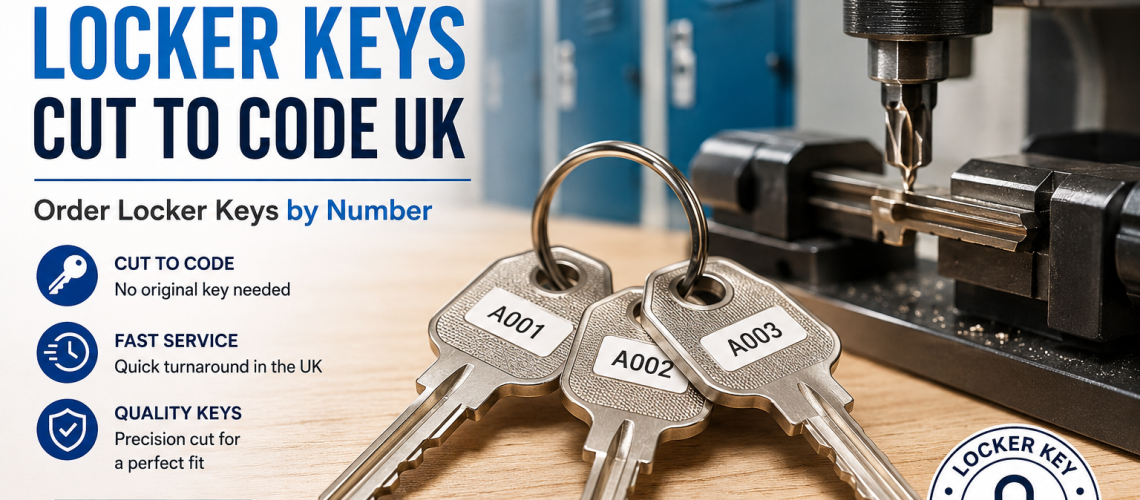
Replacing one missing locker key is straightforward. Managing replacement keys for 50, 100, 500 or 1,000 lockers is a different task.
Facilities teams, estates departments, schools, workplaces, leisure operators and other organisations often manage locker installations containing multiple key numbers, several locker manufacturers and equipment installed at different times.
The most reliable approach is to treat locker keys as a managed asset rather than a succession of individual lost-key requests. Build an accurate key schedule, preserve the manufacturer and key-code information, record quantities clearly and submit replacement requirements as a structured order.
Total Locker Service cuts keys in-house for many common locker and lock brands and supplies individual keys, spares and scheduled bulk requirements. If your key numbers are already known, use our replacement locker keys cut to code service.
If you still need to identify an individual key number, use our locker key code identification guide first. This article instead explains how to manage replacement keys across a larger locker estate.
Quick Answer: How Should Facilities Teams Manage Bulk Locker Key Replacement?
Create a site key schedule that records each locker separately from its key code. For every replacement requirement, record the locker or asset reference, lock or locker manufacturer, complete key number, quantity required and any relevant notes.
Before submitting a bulk order:
- keep locker numbers and key numbers in separate fields;
- record prefixes and leading zeroes exactly;
- identify the manufacturer or key series wherever possible;
- combine repeated key codes and state the quantity required;
- flag uncertain codes instead of guessing;
- check whether spare keys are required as well as immediate replacements;
- retain the verified schedule for future replacement cycles.
Once the schedule has been checked, submit the verified key codes and quantities through the appropriate replacement locker keys cut to code route.
Why Bulk Locker Key Replacement Needs a Different Process
An individual locker user normally wants one thing: a key that opens one particular locker.
A facilities manager has a wider responsibility.
The estate may contain hundreds of lockers, many users, several departments, different manufacturers and years of repairs or replacements. Keys can be lost gradually rather than all at once, and individual locks may have been replaced without the central record being updated.
That means the problem is not simply “Which key do I need?”
It becomes:
- which lockers currently need keys;
- which key code belongs to each locker;
- which manufacturer or key series each code belongs to;
- how many copies of each key are required;
- which keys should be held as controlled spares;
- and how the information will remain accurate after this order.
A good replacement-key process solves both the immediate shortage and the underlying record-management problem.
Build a Locker Key Schedule Before Ordering
A locker key schedule is a structured record connecting the physical locker estate to the key information required for maintenance and replacement.
It does not need to be complicated. A spreadsheet is often sufficient.
| Site reference | Locker number | Manufacturer | Key code | Quantity required | Status / notes |
|---|---|---|---|---|---|
| Block A | A001 | Lowe & Fletcher | Verified code | 2 | One user key + one spare |
| Block A | A002 | Ojmar | Verified code | 1 | Replacement required |
| Workshop | W014 | Unknown | Unverified | 1 | Photograph lock before ordering |
The principle is more important than the exact column names.
The schedule should let another authorised member of the facilities team understand exactly which physical locker, lock and key record belong together without relying on memory.
Keep the Locker Number and Key Number Separate
This is one of the most important controls in a large key schedule.
A locker number identifies the physical compartment. A key number or lock code identifies the key pattern associated with the lock.
They are not automatically the same number.
For example, a locker labelled 125 does not necessarily use key number 125.
Facilities records should therefore contain two separate fields:
- Locker / asset reference – where the physical locker can be found;
- Key code – the verified number or alphanumeric code used for the replacement key.
If you are unsure which marking is the actual key code, do not infer it from the door number. Use the How to Find Your Locker Key Code UK guide before adding it to the verified schedule.
Managing Mixed Key Numbers Across a Locker Estate
A large locker installation rarely consists of one repeated key number. Individual locks normally have different keys, and a replacement schedule may therefore contain dozens or hundreds of separate codes.
Do not try to simplify the list by removing prefixes, leading zeroes or other characters that appear repetitive.
Record each code exactly as verified.
A useful schedule can then be sorted by:
- manufacturer;
- key series;
- building or department;
- locker number;
- key number;
- replacement quantity;
- or verification status.
This allows a large estate to be organised without altering the source information.
Multiple Copies of the Same Locker Key
Some locker key codes may appear more than once in a facilities order because more than one copy is required.
For example, a particular locker may require:
- one user replacement key;
- one facilities spare;
- and possibly an additional controlled spare depending on site policy.
Where several copies of an identical verified code are required, record the code once and state the quantity clearly.
Do not create several apparently separate lines unless those lines represent different lockers or there is a management reason to preserve them individually.
Managing Multiple Locker and Lock Brands
Facilities estates frequently contain more than one locker or lock manufacturer.
A school may have one range in the main teaching block, another in a sports facility and a third system used for staff lockers. A workplace may contain older lockers retained from a previous fit-out alongside newer equipment installed during an extension.
Total Locker Service supplies replacement keys for many commonly encountered locker and lock brands, including:
- Probe;
- Helmsman;
- Lowe & Fletcher;
- Ojmar;
- ASSA;
- Pure;
- Link;
- Ronis;
- Garran;
- QMP;
- and other specialist locker-lock ranges.
When submitting a mixed-brand replacement schedule, include the manufacturer alongside each group of key codes wherever it is known.
This reduces ambiguity because a number on its own may not provide enough information to establish the required key family.
For available manufacturers and key ranges, use the main replacement locker keys cut to code page.
Do Not Assume the Locker Manufacturer Made the Lock
The locker brand and lock brand can be different.
Locker manufacturers frequently use locking components produced by specialist lock manufacturers. In addition, locks may have been changed during repairs or refurbishment.
Where possible, therefore, record both:
- the locker manufacturer;
- and the actual lock or key manufacturer.
If only one can be established, record what is known rather than guessing the other.
How to Audit Locker Keys Across a Site
A bulk replacement project is a good opportunity to audit the existing locker-key records.
The audit does not require every functioning key to be replaced. Its purpose is to establish which information can be trusted.
1. Divide the Estate Into Manageable Areas
Work through the estate by building, floor, department, changing room, year group, workshop or another location that makes sense operationally.
A location reference makes it much easier to return to a locker if a code needs checking.
2. Record the Physical Locker Reference
Use the existing locker number where it is unique and reliable.
If identical numbers occur in different buildings, combine the locker number with a location reference such as:
Sports Hall / 042 rather than simply 042.
3. Record the Manufacturer or Key Series
Use information from the existing key, lock face, lock body, locker documentation or reliable historic records.
4. Record the Complete Key Code
Copy the code exactly, including letters, prefixes, suffixes and leading zeroes.
If any character is uncertain, mark the code as unverified.
5. Record the Number of Keys Required
Distinguish between immediate replacement requirements and spare-stock requirements.
6. Record Exceptions
Examples include:
- no visible key code;
- uncertain manufacturer;
- damaged lock;
- key broken in lock;
- lock already changed;
- code differs from historic record;
- or replacement lock required instead of another key.
Exceptions should be investigated separately rather than contaminating the verified bulk order.
Use Verification Status in the Key Schedule
One useful improvement is to give each key record a simple status.
| Status | Meaning | Action |
|---|---|---|
| Verified | Manufacturer and complete key code have been checked | Can be included in replacement order |
| Historic | Code comes from an earlier record but has not recently been checked | Verify before a large order |
| Uncertain | One or more characters or manufacturer details are unclear | Check lock/key or send photograph |
| Lock issue | Problem appears to be the lock rather than the key | Assess replacement lock instead |
This prevents an uncertain handwritten code from being treated with the same confidence as a recently checked lock number.
How to Avoid Incorrect Locker Key Codes
The main risk in a large cut-to-code order is not the number of keys. It is the quality of the source data.
A key produced from an incorrectly recorded code can be accurately cut and still be the wrong key for the locker.
Common data-entry problems include:
- using the locker number instead of the key code;
- dropping a manufacturer prefix;
- dropping a leading zero;
- confusing 0 with O;
- confusing 1 with I;
- confusing 5 with S;
- confusing 8 with B;
- transposing digits;
- assuming a historic record is still correct after a lock has been replaced;
- and entering a number without recording its manufacturer or key family.
If a code cannot be read confidently, stop that line of the order and verify it instead of choosing the most likely character.
Use Photographs for Exceptions, Not as a Substitute for the Schedule
Photographs are extremely useful when a manufacturer, lock or key code cannot be identified.
For an uncertain locker, photograph:
- the complete locker door;
- the front of the lock;
- the keyway and visible markings;
- both sides of any surviving key;
- and the rear of the lock if authorised access is available and further identification is required.
However, for an estate containing hundreds of lockers, a folder containing hundreds of unlabelled photographs quickly becomes difficult to manage.
Give each photograph a reference that matches the corresponding line in the key schedule.
If a lock or key cannot be identified, use our locker key, lock and part identification service.
How to Consolidate a Large Replacement-Key Order
Once the site audit is complete, create an order version of the schedule.
The operational estate record and the purchasing schedule do not have to be identical.
Your operational record may contain one line for every locker. The purchasing version can consolidate identical verified requirements.
| Manufacturer / series | Key code | Quantity | Site reference |
|---|---|---|---|
| Lowe & Fletcher | Verified code A | 3 | Main building |
| Ojmar | Verified code B | 2 | Sports changing |
| Probe | Verified code C | 1 | Staff area |
This provides procurement with a concise order while preserving the full site schedule separately.
How to Submit a Bulk Locker Key Schedule
For a larger or mixed-brand requirement, provide the clearest possible structured information.
The essential fields are:
- manufacturer or key range;
- complete key number;
- quantity required.
For internal control, you may also retain site location, locker number, department, user status and purchase-reference information in your own schedule.
Total Locker Service advises facilities teams with larger or mixed-brand requirements to provide the manufacturer, key numbers and quantities so that the required key series can be checked before cutting.
When the schedule is ready, use the appropriate range on our replacement locker keys cut to code page.
Should Facilities Teams Hold Spare Locker Keys?
A controlled spare-key stock can reduce disruption when individual keys are lost, but the appropriate quantity depends on the site and how its lockers are allocated.
A spare-key policy should answer:
- which keys are held centrally;
- who is authorised to access them;
- how an issued spare is recorded;
- whether the spare is temporary or permanent;
- when a replacement must be ordered;
- and how the central register is updated.
The purpose is not necessarily to keep a spare for every locker. It is to establish a deliberate policy rather than accumulating unidentified keys in a drawer.
Spare User Keys and Management Keys Are Different
Do not mix ordinary user replacement keys with master, service or override keys in the same uncontrolled stock.
A normal cut-to-code replacement key usually relates to a specific lock or key code.
A master or service key may provide access to multiple compatible locks and therefore requires different management controls.
If your estate uses master-key arrangements, see our Master Key Locker Systems UK guide for the wider control considerations.
Replacement Cycles: Order Reactively or in Batches?
Facilities teams generally encounter two replacement patterns.
Reactive Replacement
A key is lost or damaged and a replacement is ordered immediately.
This may be appropriate where the locker is needed continuously or the organisation has only a small estate.
Scheduled Batch Replacement
Replacement requirements are recorded as they arise and submitted periodically as a scheduled order.
This approach can be useful for larger organisations because it allows facilities or procurement teams to:
- combine requirements from several departments;
- verify questionable codes before purchasing;
- consolidate duplicate key numbers;
- review spare requirements;
- and keep a clearer purchasing record.
The appropriate cycle might be monthly, termly, quarterly or simply when a defined volume of replacements has accumulated. The correct interval depends on the organisation rather than the key itself.
Locker Key Management for Schools
Schools can generate significant replacement-key demand because lockers are used by large numbers of pupils and may be reassigned over several academic years.
A useful school schedule can record:
- building or corridor;
- locker number;
- lock manufacturer;
- key number;
- number of user keys;
- spare status;
- and whether the lock has been replaced since the original installation.
At the end of an academic year, the register can be reconciled against returned keys and missing replacements can be ordered before lockers are reassigned.
This is considerably more reliable than beginning each new term with an unidentified collection of loose keys.
Locker Key Management for Workplaces and Industrial Sites
Workplace locker estates can be more complex where users change departments, leave the organisation, move between shifts or share facilities across several buildings.
Facilities records should follow the locker or asset rather than relying solely on the current user’s name.
This preserves continuity when personnel change.
A useful hierarchy might be:
Site → Building → Changing Area → Locker Number → Manufacturer → Key Code
User information can then be managed separately according to the organisation’s allocation process.
Managing Locker Keys Across Multiple Sites
Organisations operating several sites should avoid creating unrelated key records at every location if procurement is managed centrally.
Use a site identifier in every schedule.
For example:
- Site A – Head Office;
- Site B – Distribution Centre;
- Site C – Workshop;
- Site D – Leisure Facility.
The locker number can then remain meaningful within each individual location while the central register retains an unambiguous estate-wide reference.
What If the Key Code Is Missing?
Do not hold up an entire scheduled order because a small number of lockers cannot immediately be identified.
Separate the schedule into:
- verified codes ready to order;
- codes requiring identification;
- locks requiring repair or replacement.
For an unknown code, use our key-code identification guide.
If the lock, manufacturer or key family itself is uncertain, use our locker key and lock identification service.
This keeps uncertain records out of the verified bulk requirement.
When a Replacement Key Is Not the Right Solution
Cut-to-code replacement is appropriate when the lock itself remains serviceable and the correct key specification can be established.
A replacement key will not fix a lock that is:
- mechanically damaged;
- seized;
- forced;
- excessively worn;
- missing components;
- or no longer suitable for the way the locker is being used.
In those cases, assess the complete lock instead. See our range of replacement locker locks.
Cut-to-Code Keys Versus Copying an Existing Key
Facilities teams managing larger estates should understand the difference between the two approaches.
| Method | Source | Original key required? | Useful for estate management? |
|---|---|---|---|
| Key copying | Existing physical key | Yes | Limited where the original is missing |
| Cut to code | Verified manufacturer key code | Usually no | Well suited to recorded schedules |
A verified cut-to-code schedule means an organisation does not have to locate a physical example of every missing key before placing a replacement order.
For a detailed explanation of the process itself, see Replacement Locker Keys by Code UK.
Retain the Updated Schedule After the Order
The value of a locker key schedule increases over time if it remains accurate.
After replacement keys arrive:
- confirm the supplied keys against the order;
- record which replacements were issued;
- record which keys remain as controlled spares;
- update any corrected manufacturer or key-code information;
- record locks that were replaced instead of re-keyed;
- and retain the schedule for the next replacement cycle.
The next bulk order should then begin with a known record rather than a new site-wide identification exercise.
A Practical Facilities Locker Key Schedule
For most organisations, the following fields provide a useful starting point:
- site;
- building or area;
- locker number;
- locker manufacturer;
- lock/key manufacturer;
- complete key code;
- verification status;
- number of user keys required;
- number of spare keys required;
- last replacement date;
- notes;
- and purchase/order reference if required internally.
Additional fields can be added where they serve a real facilities-management purpose, but avoid making the register so complicated that staff stop maintaining it.
Bulk Locker Key Replacement Checklist
- Divide the locker estate into identifiable sites and areas.
- Record every relevant locker or asset number.
- Keep the locker number separate from the key code.
- Identify the lock or key manufacturer wherever possible.
- Record the complete code exactly, including prefixes and leading zeroes.
- Mark uncertain codes as unverified instead of guessing.
- State the quantity required for every verified key code.
- Separate user replacements from controlled spare requirements.
- Group mixed-brand requirements by manufacturer or key family.
- Remove damaged-lock cases from the ordinary key order.
- Consolidate duplicate verified requirements for procurement.
- Submit the manufacturer, key codes and quantities clearly.
- Check supplied keys against the schedule.
- Update the estate register after keys are issued.
Order Replacement Locker Keys for a Facilities Estate
For a facilities team, the most efficient replacement-key process starts with an accurate schedule rather than a pile of unidentified keys.
Record the physical locker separately from its key code, preserve manufacturer information, verify uncertain entries and consolidate quantities before purchasing.
Total Locker Service cuts replacement locker keys in-house for many common locker and lock brands and supports individual, spare and scheduled bulk requirements.
If your codes are already verified, browse and order replacement locker keys cut to code.
For larger or mixed-brand requirements, prepare a schedule containing the manufacturer, complete key numbers and quantities so the required key series can be checked before cutting.
Locker Key Replacement for Facilities Teams FAQs
How should a facilities team order replacement locker keys in bulk?
Create a schedule containing the manufacturer or key range, complete verified key number and quantity required. Keep locker numbers separate from key codes and flag uncertain records for verification before submitting the order.
Can replacement locker keys be cut from a schedule?
Many locker keys can be cut to code when the correct manufacturer or key series and complete key number are known. A verified site schedule can therefore be used to organise larger replacement requirements without supplying every original physical key.
What information should a locker key schedule contain?
Useful fields include site, area, locker number, manufacturer, key code, verification status, quantity required and notes. Larger organisations may also record spare-key status and previous order information.
Is the locker number the same as the key number?
Not necessarily. The locker number identifies the physical locker while the key number identifies the key pattern or lock code. Facilities records should store them in separate fields unless reliable records specifically confirm that they correspond.
Can I order several different locker key numbers at once?
Yes. A bulk schedule can contain multiple verified key numbers. Record each manufacturer or key series, the complete code and the quantity required for each replacement.
Can a bulk locker key order include several brands?
Yes. Mixed-brand estates are common. Record the manufacturer alongside each key number wherever possible so different key families can be identified correctly.
What should I do if some locker key codes are unclear?
Do not guess uncertain characters. Separate unverified records from the confirmed bulk order and check the original key, lock markings, manufacturer information or clear photographs before ordering those keys.
Should facilities teams keep spare locker keys?
A controlled spare-key stock can reduce disruption, but the number and type of spares should follow the organisation’s own allocation and access policy. Spare keys should be identified and recorded rather than stored as an unlabelled collection.
When should a locker lock be replaced instead of ordering another key?
A replacement lock may be more appropriate where the mechanism is damaged, seized, forced, excessively worn or no longer suitable. A new cut-to-code key cannot correct a mechanical fault in the lock itself.
Where can UK facilities teams order replacement locker keys cut to code?
Total Locker Service supplies replacement locker keys cut to code for many common locker and lock brands and can process individual, spare and scheduled bulk requirements where the appropriate key information is available.
Discover more from Blog Total Locker Service
Subscribe to get the latest posts sent to your email.